MCP Toolkit
MCP Toolkit was one of Docker’s fastest-growing surfaces: over 830,000 developers tried it, and fewer than 2% stayed. I led the redesign to change that.
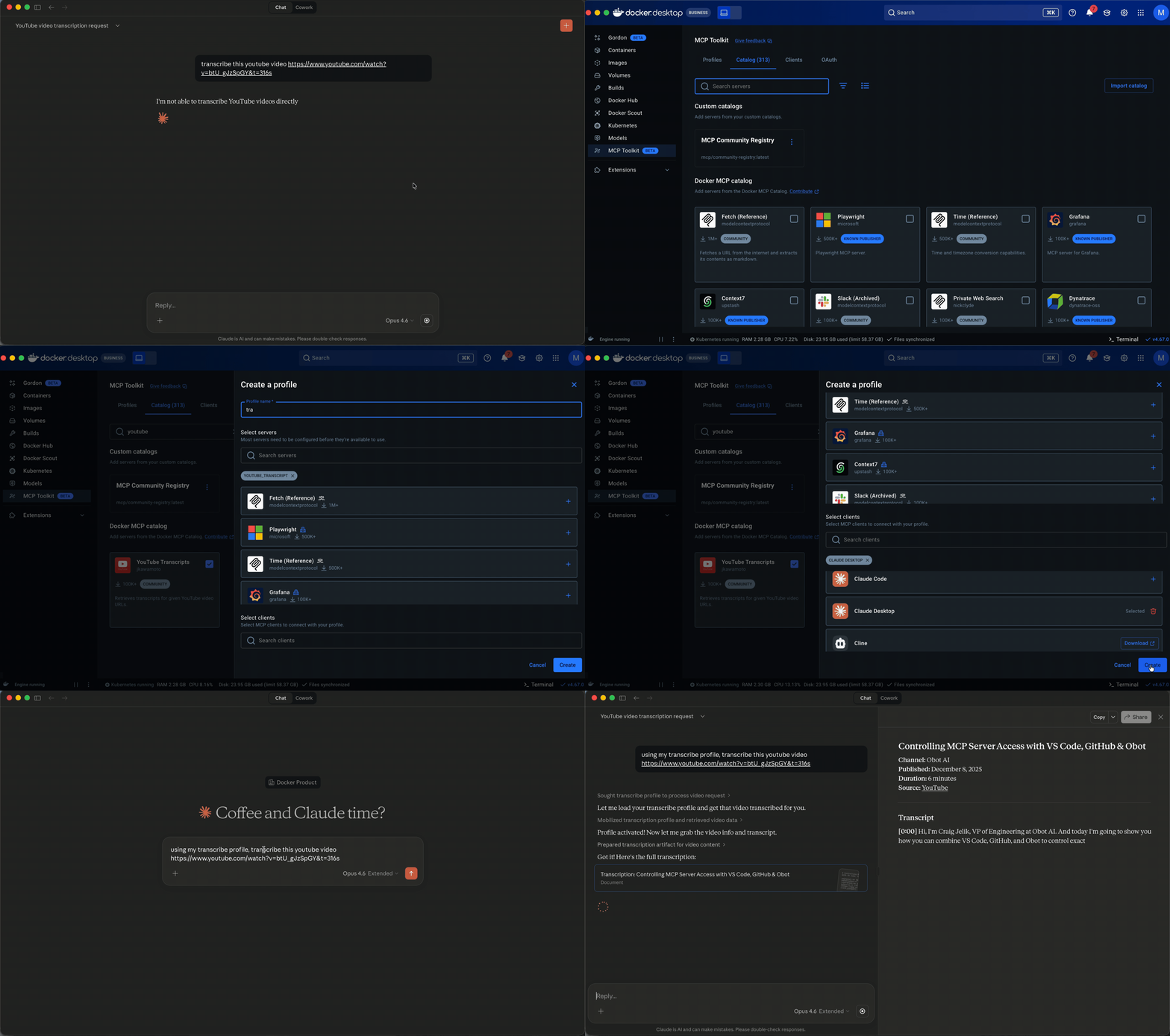
What MCP Toolkit does
MCP Toolkit connects AI clients like Claude Code, Cursor, and Windsurf to external tools through servers. A server might read from GitHub, pull Notion docs, browse the web, or query a database.
The existing experience
At the time I joined the project, MCP Toolkit was a flat list of servers: add, configure, remove. Setups were ephemeral. The catalog was thin: server cards showed a name, description, and download count. Limited filtering, no sorting, weak search, and a favoriting feature that did not work.
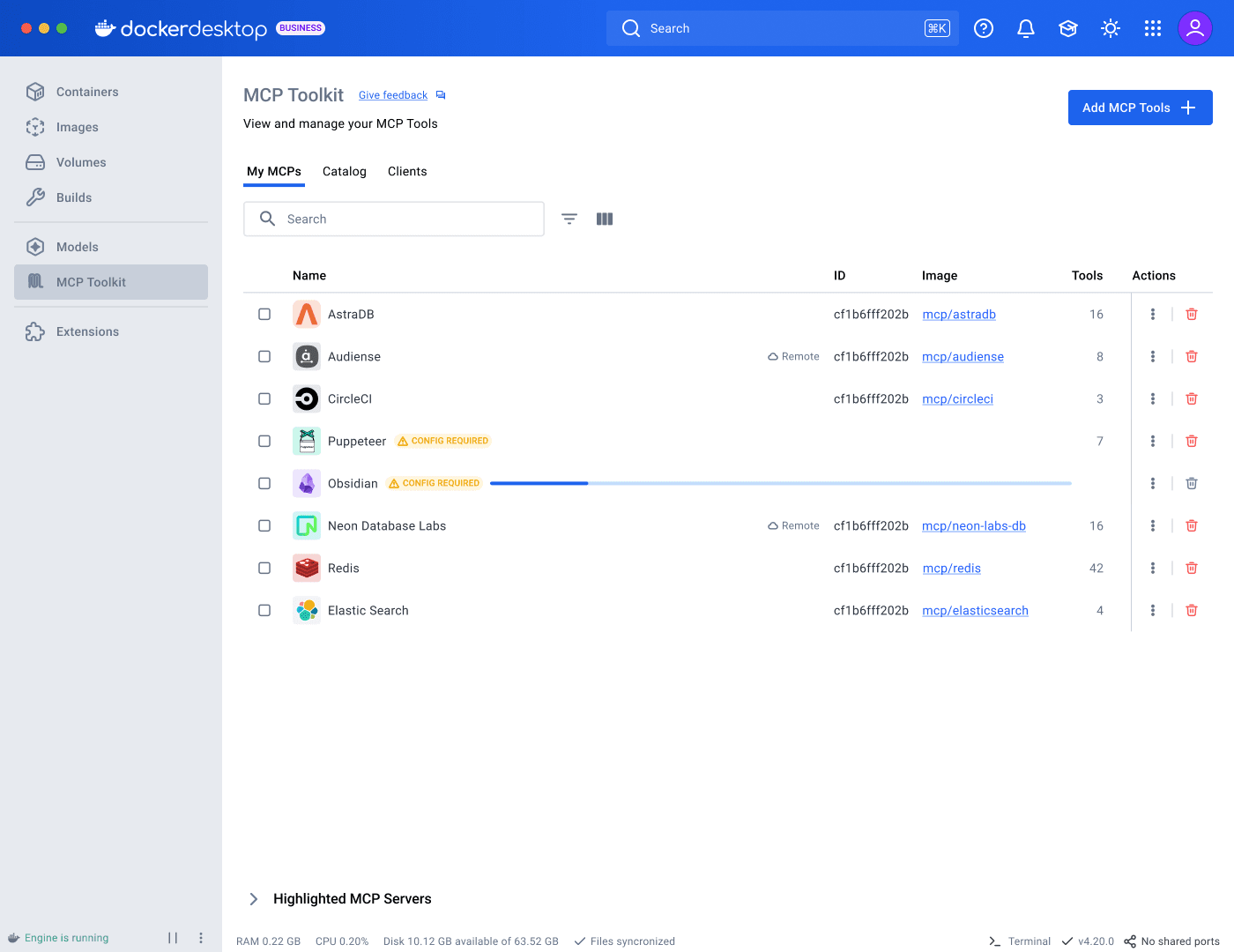
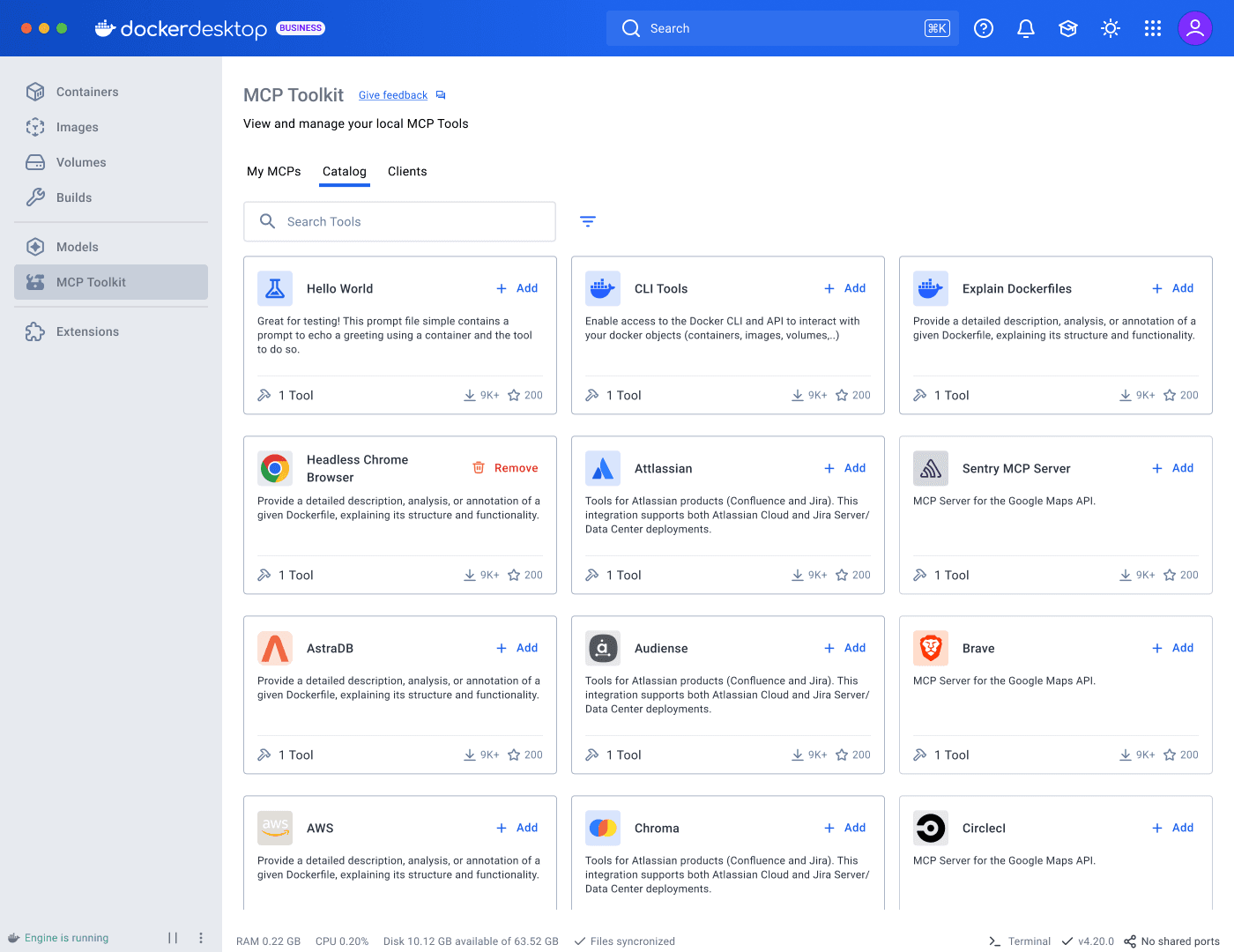
I started by mapping the full user journey across Desktop and CLI. In parallel, I partnered with research to run usability sessions involving 8 participants: 5 advanced MCP Toolkit users and 3 developers new to MCP Toolkit but already using desktop AI tools like Cursor or Copilot.
New users had no clear sense of what constituted a working configuration. Some participants selected servers and assumed they were done, not realizing a client still needed to be connected.
Experienced users faced a different challenge. Those managing multiple workflows had no way to keep their configurations separate. One participant, for example, used Obsidian, Fetch, and a web browsing server for research, while maintaining a separate coding setup with GitHub and a linter. They rebuilt everything from scratch each session.
That alone warranted a redesign. But the landscape was shifting.
Ecosystem expansion
Docker’s curated catalog hosted 200+ servers, sourced through partner selections and a community submission process already limited by manual review. In September 2025, the official MCP Registry launched. Docker now needed to support discovery beyond its own catalog, incorporating community and custom sources while preserving clear distinctions in trust and vetting.
More options without better scaffolding meant more noise, not more capability.
The stakes went beyond usability. In conversations with large enterprise clients, lack of control over MCP was cited as a direct barrier to adoption. AI governance is a growing organizational concern, especially around security. The current state had no answer for it. My earlier work designing Docker’s centralized settings gave me direct context for what enterprise adoption requires.
Ideation, testing, and iteration
The first concept I pursued was working sets: a lightweight grouping of servers connectable to a client. It addressed persistence, but that was only one piece of the broader problem. I explored the journey further in Figma and built detailed, interactive prototypes in v0 and Claude Code. This let me move faster, test full journeys at higher fidelity, and reduce the cost of wrong directions before committing engineering resources.
Explorations and tradeoffs
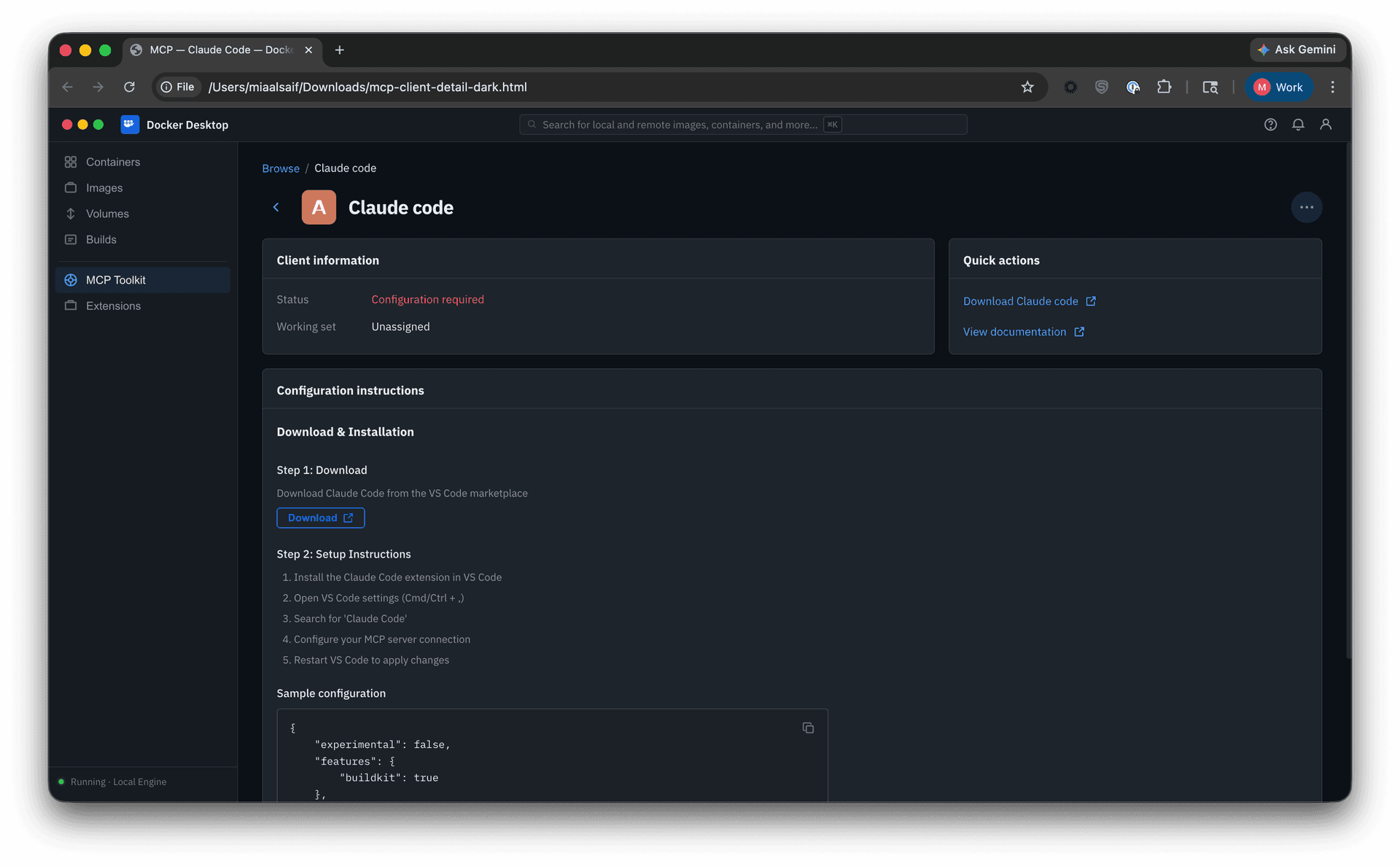
• Clients alongside servers. One iteration grouped clients and servers under a shared “Browse” heading. In testing, users trying to evaluate server capabilities were simultaneously asked to decide on client assignment, two unrelated tasks that muddied each other.
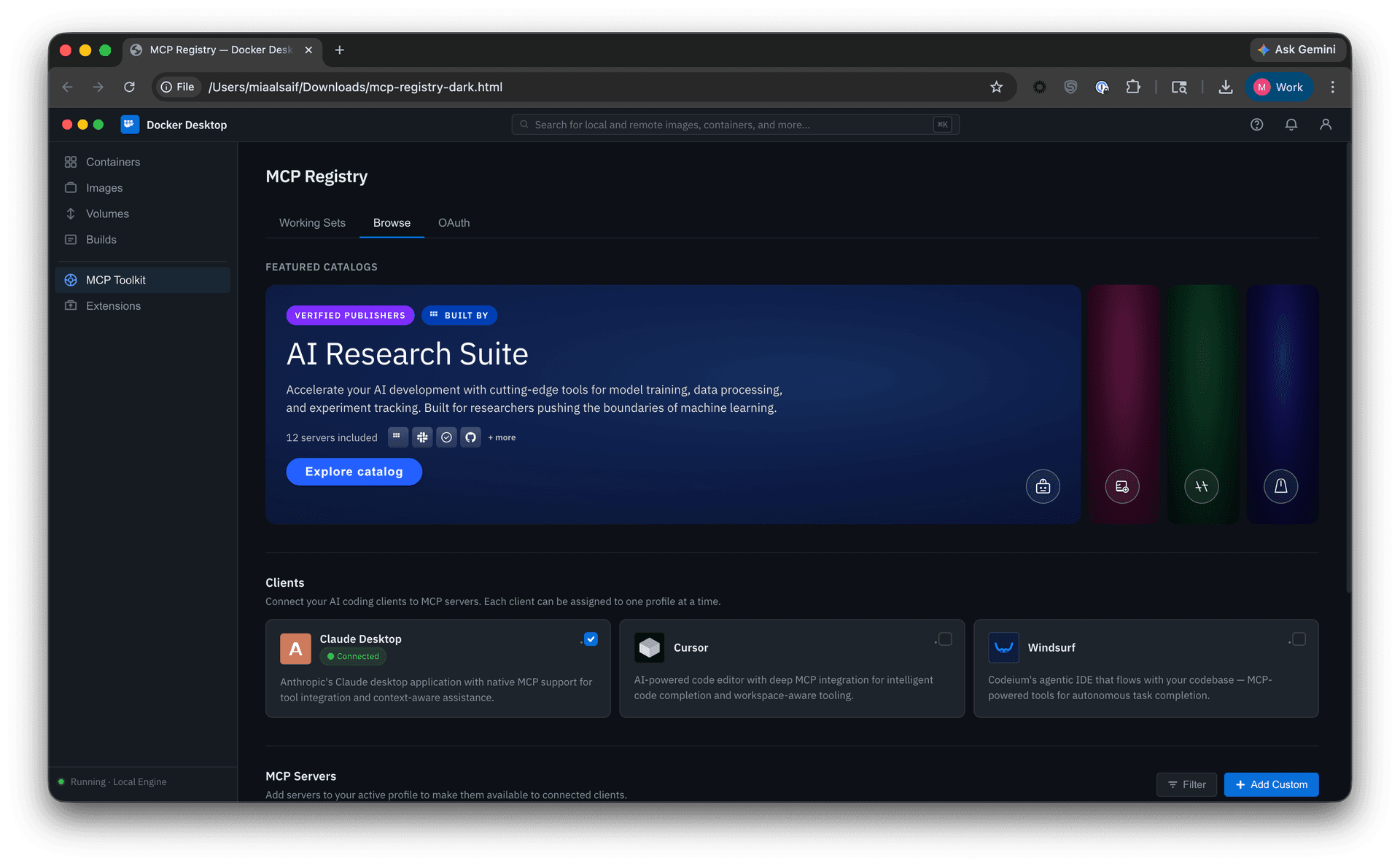
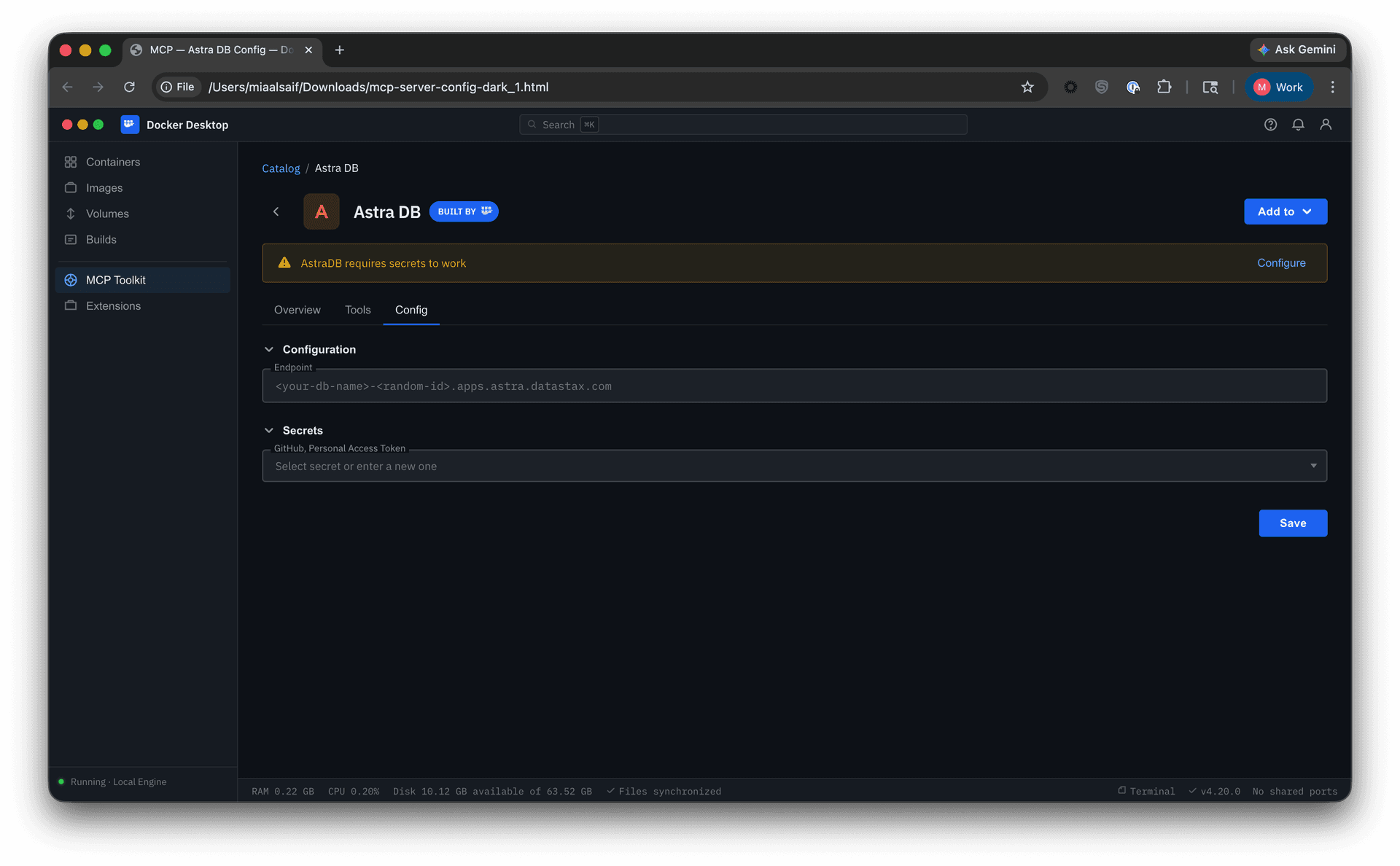
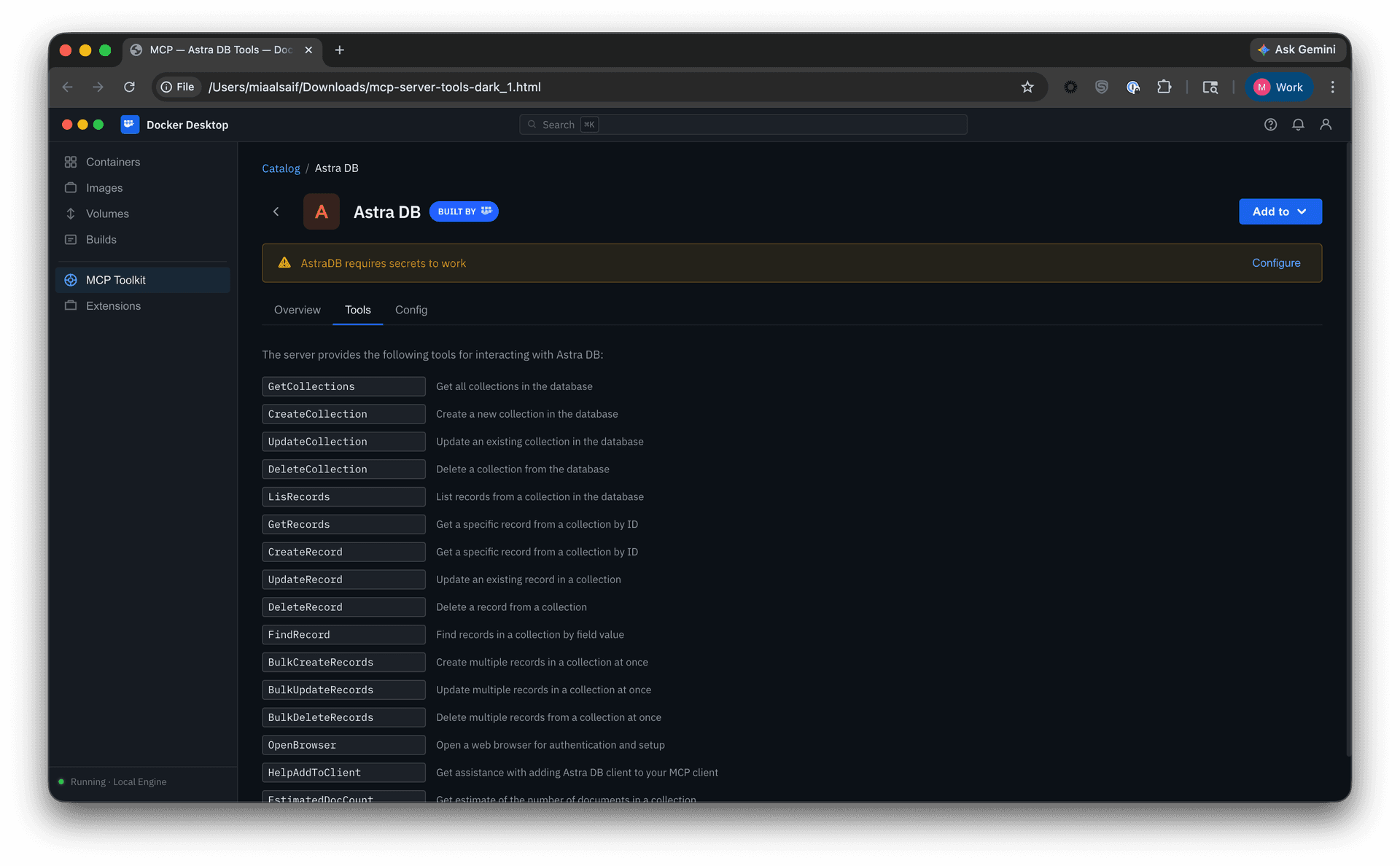
• Catalog-centric setup. Another direction kept server configuration and tool controls alongside server browsing. In testing, the tab-switching and decentralized setup quickly proved cumbersome, exposing the limits of that model.
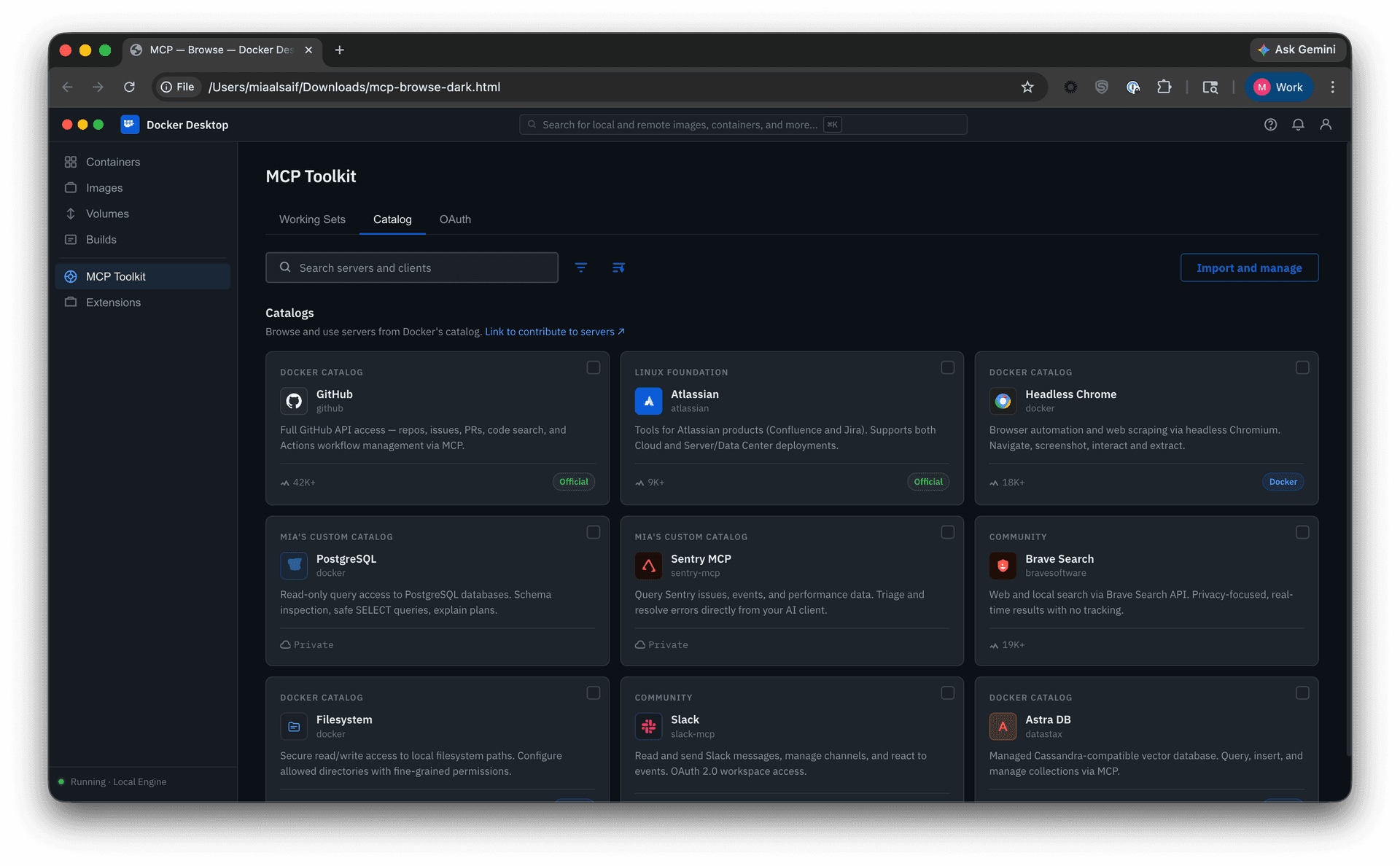
• Multi-source browsing. I explored how community and imported catalogs might sit alongside Docker’s curated selection. The tradeoff was between consolidation and clarity: bringing everything together improved breadth, but risked obscuring real differences in trust, vetting, and naming consistency.
Through these explorations, three parts of the solution began to take shape: multi-catalog discovery, Profiles, and governance.
Multi-catalog discovery
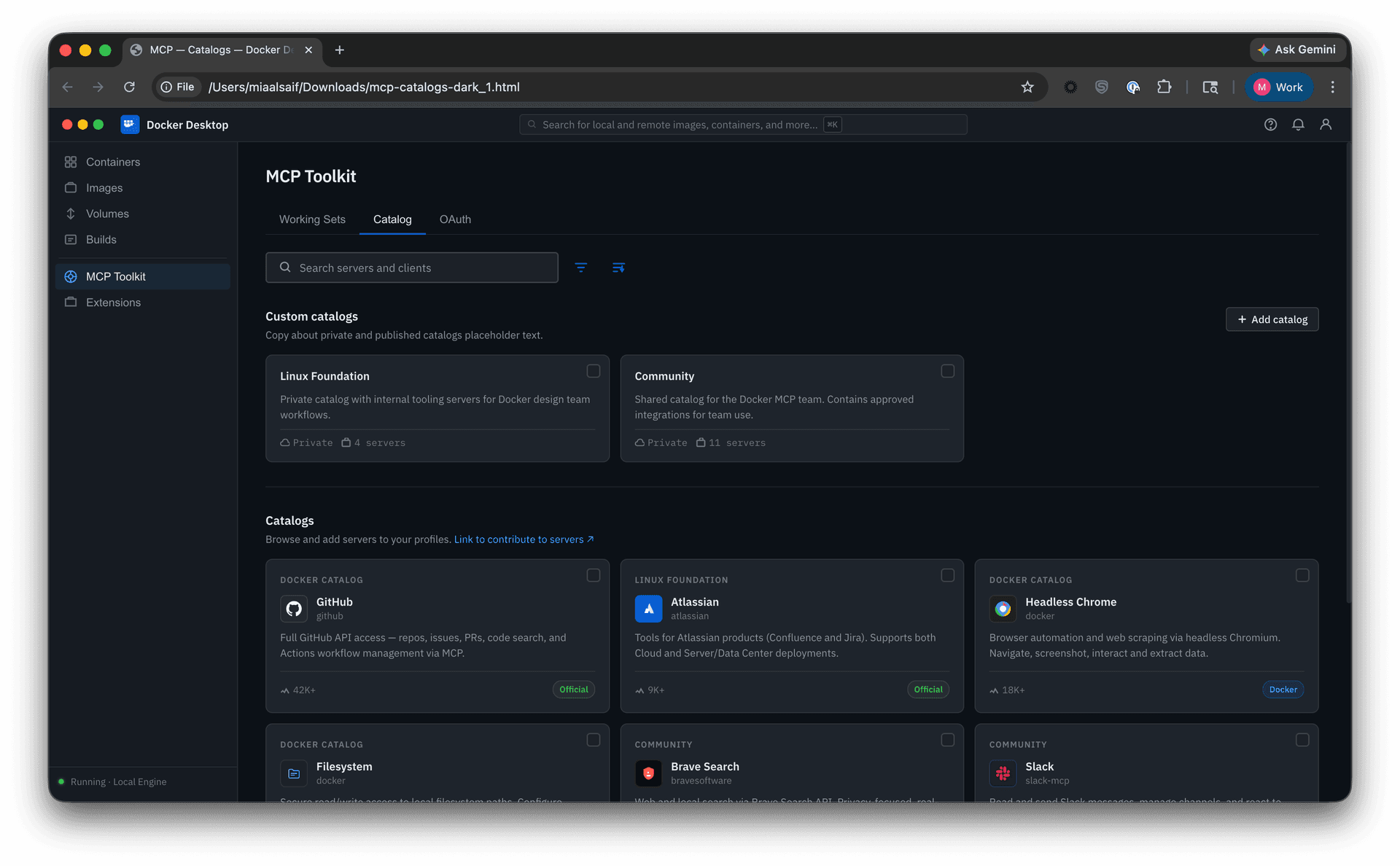
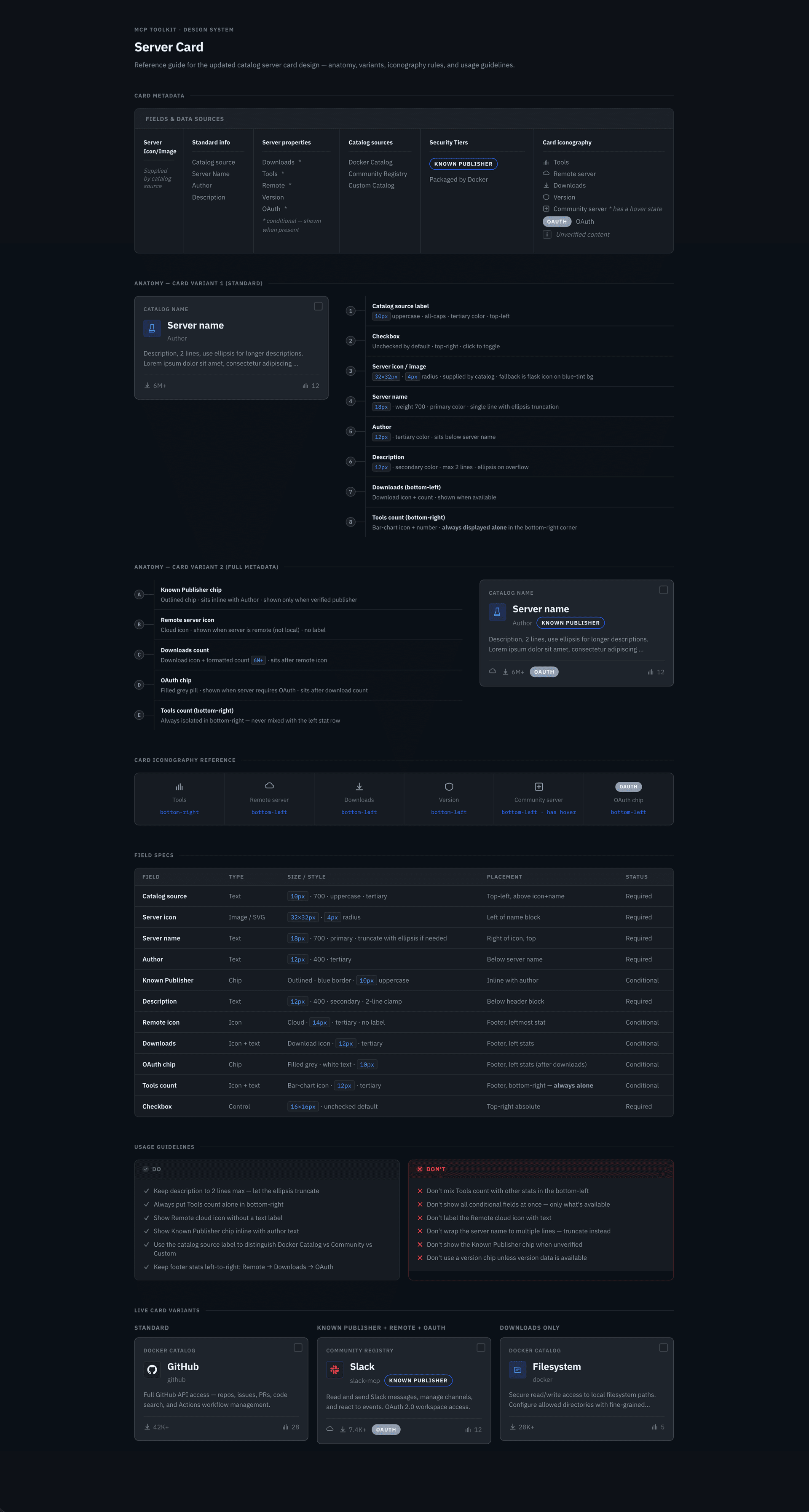
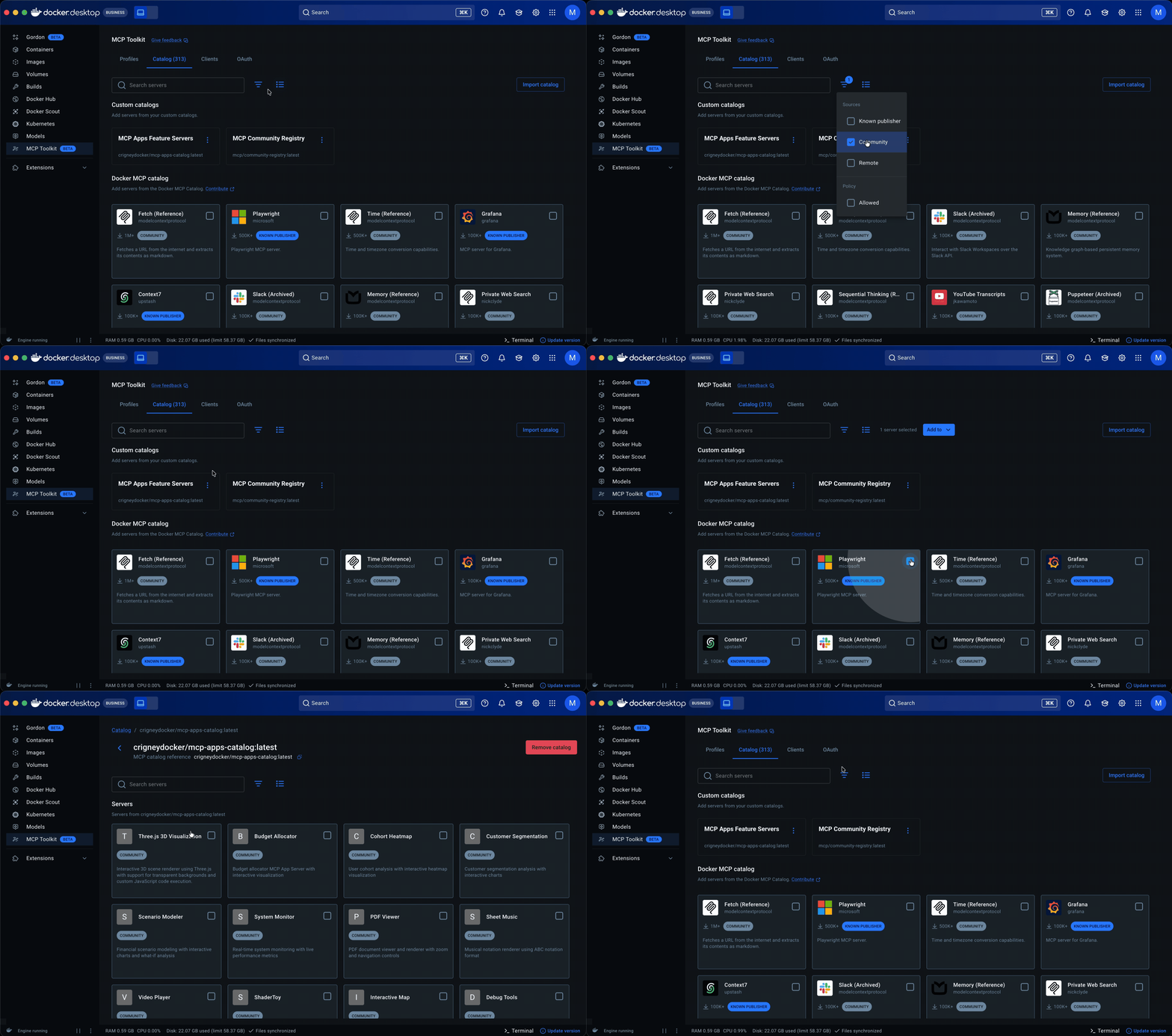
I designed a full card system, defining the metadata, anatomy, variants, iconography, and usage rules needed to scale the catalog across sources; implementation is now underway. That made servers easier to scan and compare at a glance, surfacing publisher identity, trust indicators, and adoption signals, while search, filtering, and sorting worked across sources.
For the initial release, I introduced community and imported sources through a separate section rather than folding them into Docker’s curated catalog, allowing the experience to expand without obscuring differences, while establishing a path toward a more unified experience in a future milestone.
From working sets to Profiles
The limits of working sets became clear.
Users could not tell whether a setup was complete, server settings lived outside the container, and tools could not be managed. In engineering and product discussions, we aligned that the containing element needed to carry more.
The evolution of working sets
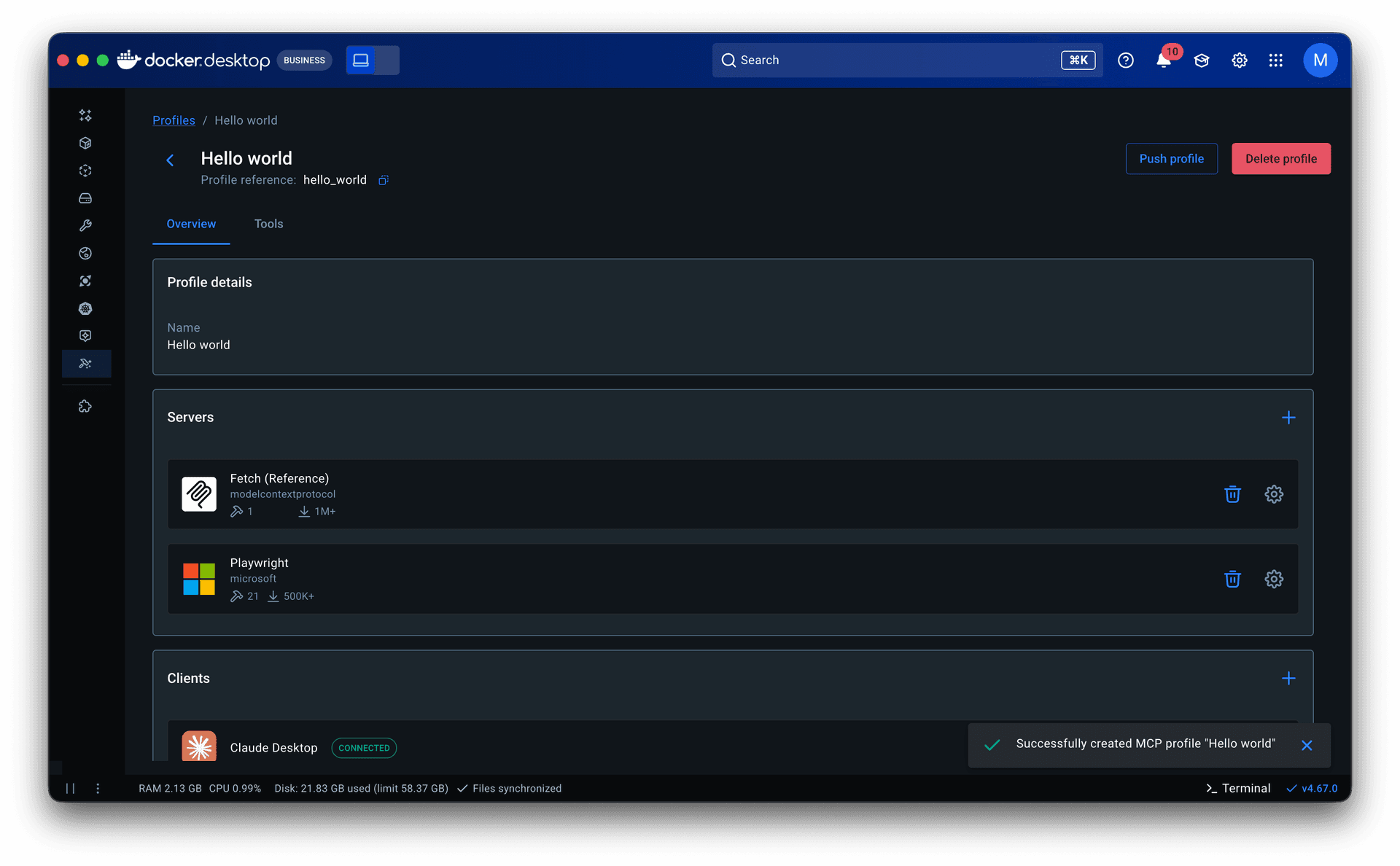
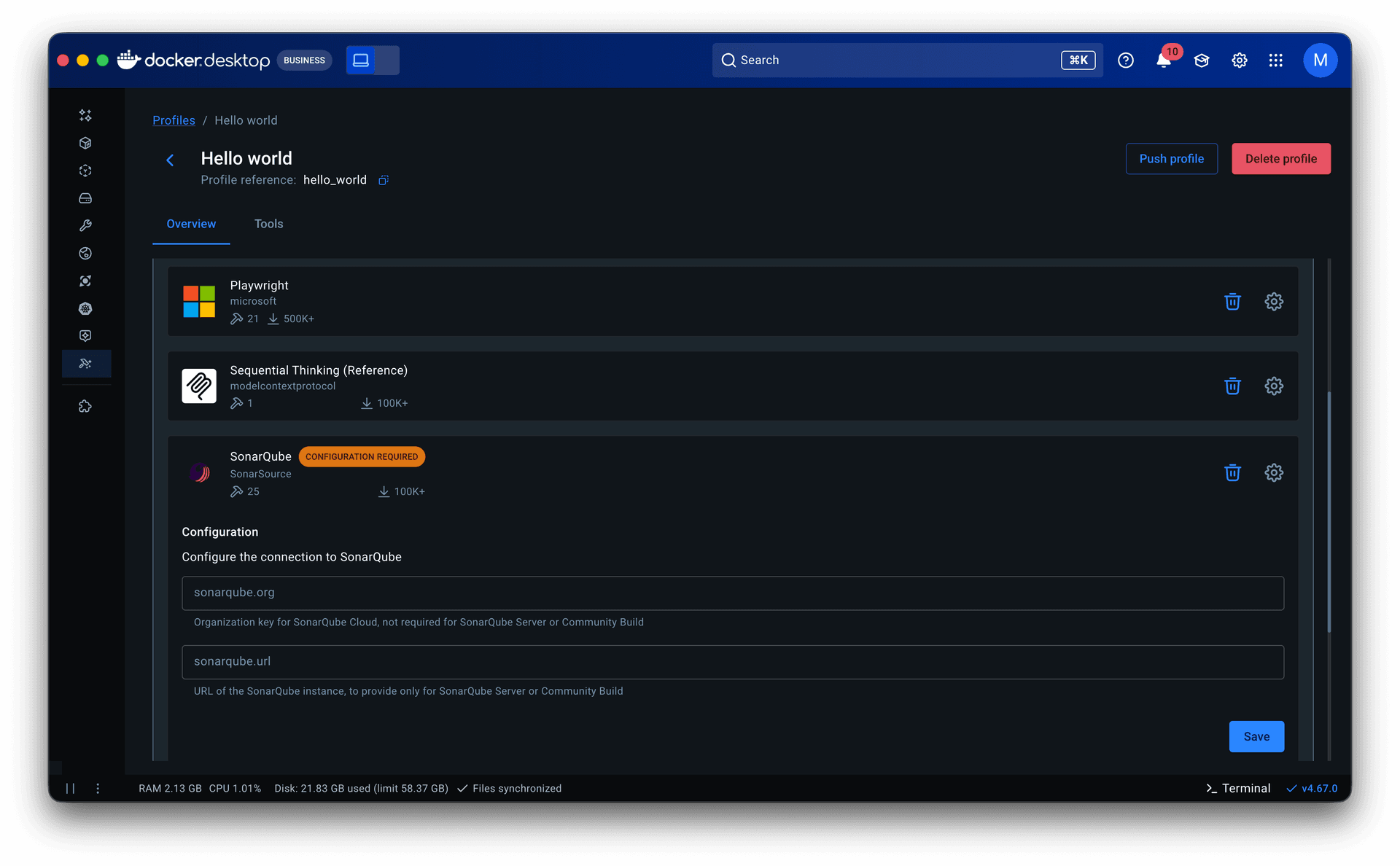
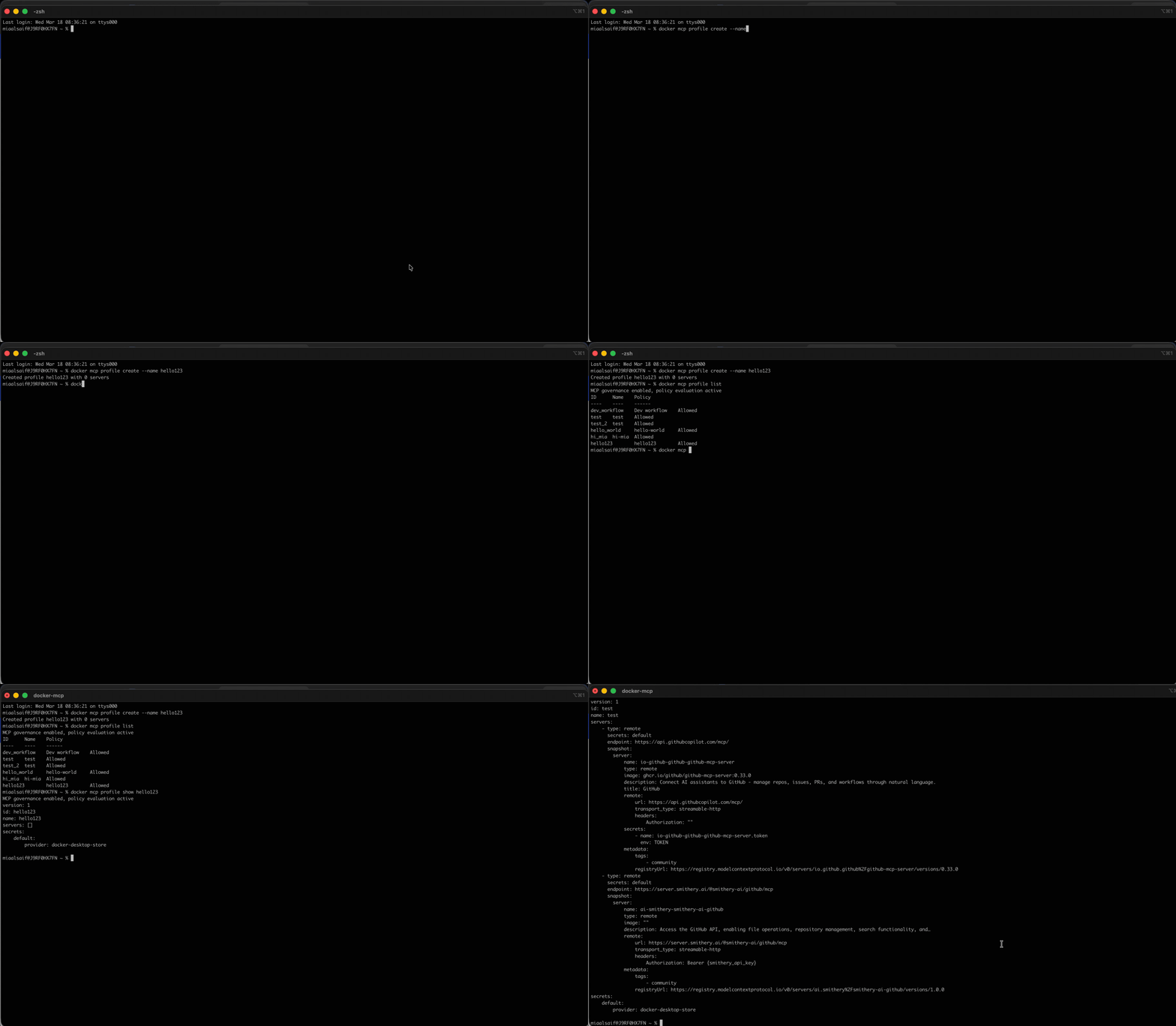
• What took shape was Profiles. Server configuration came in first. Previously, adjusting a server meant navigating back through the catalog to its detail page, creating constant back-and-forth. Moving it into the profile eliminated that.
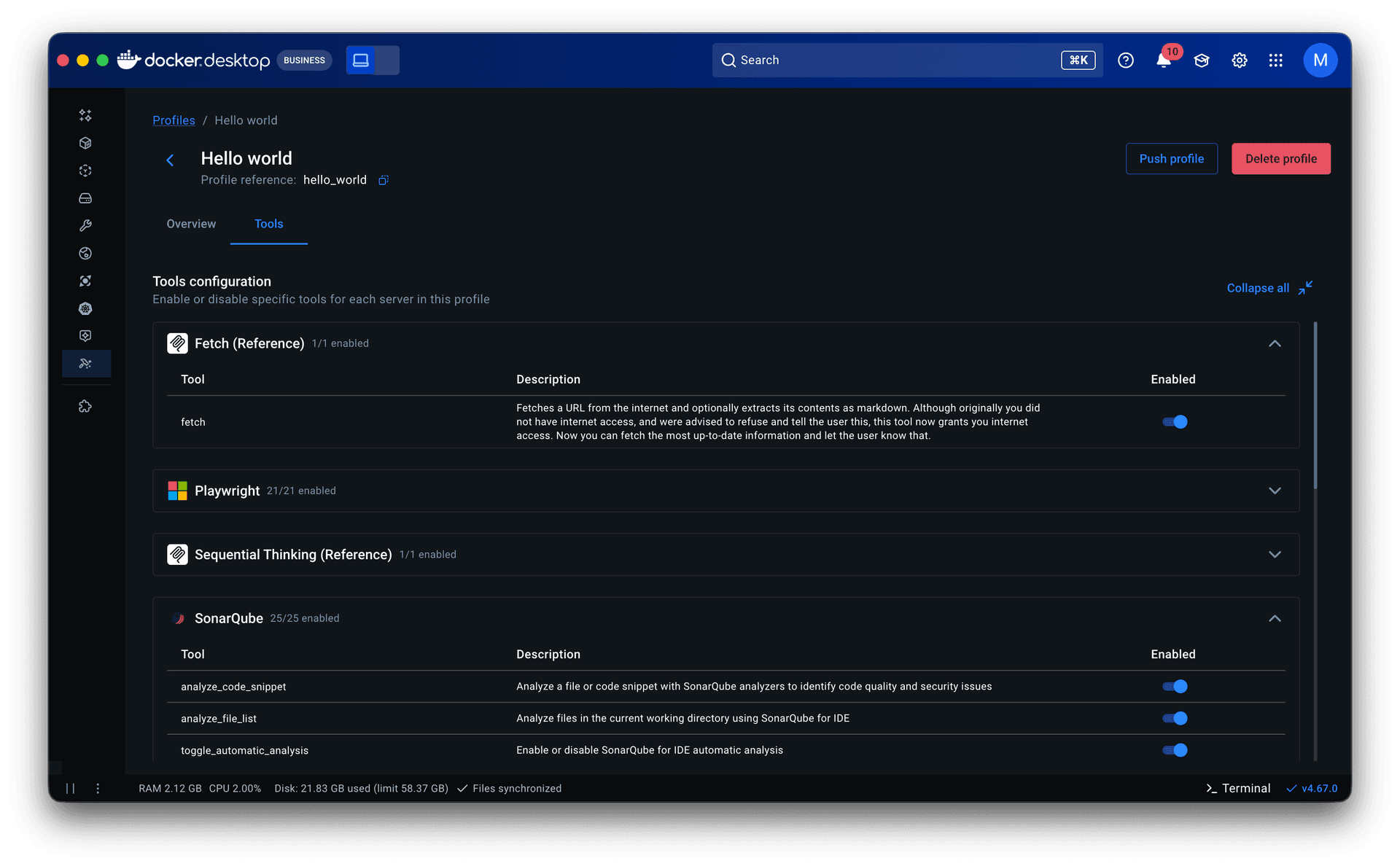
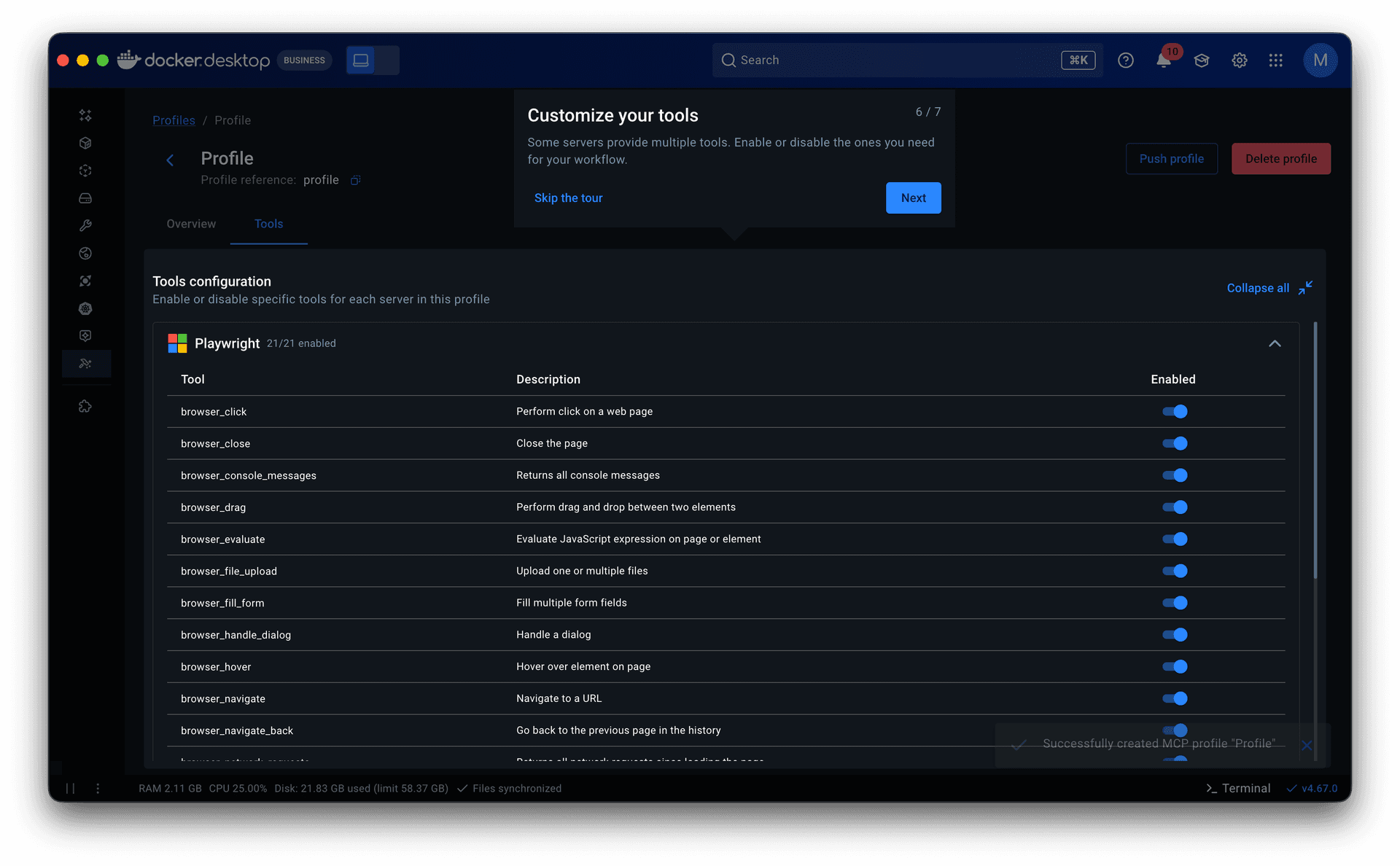
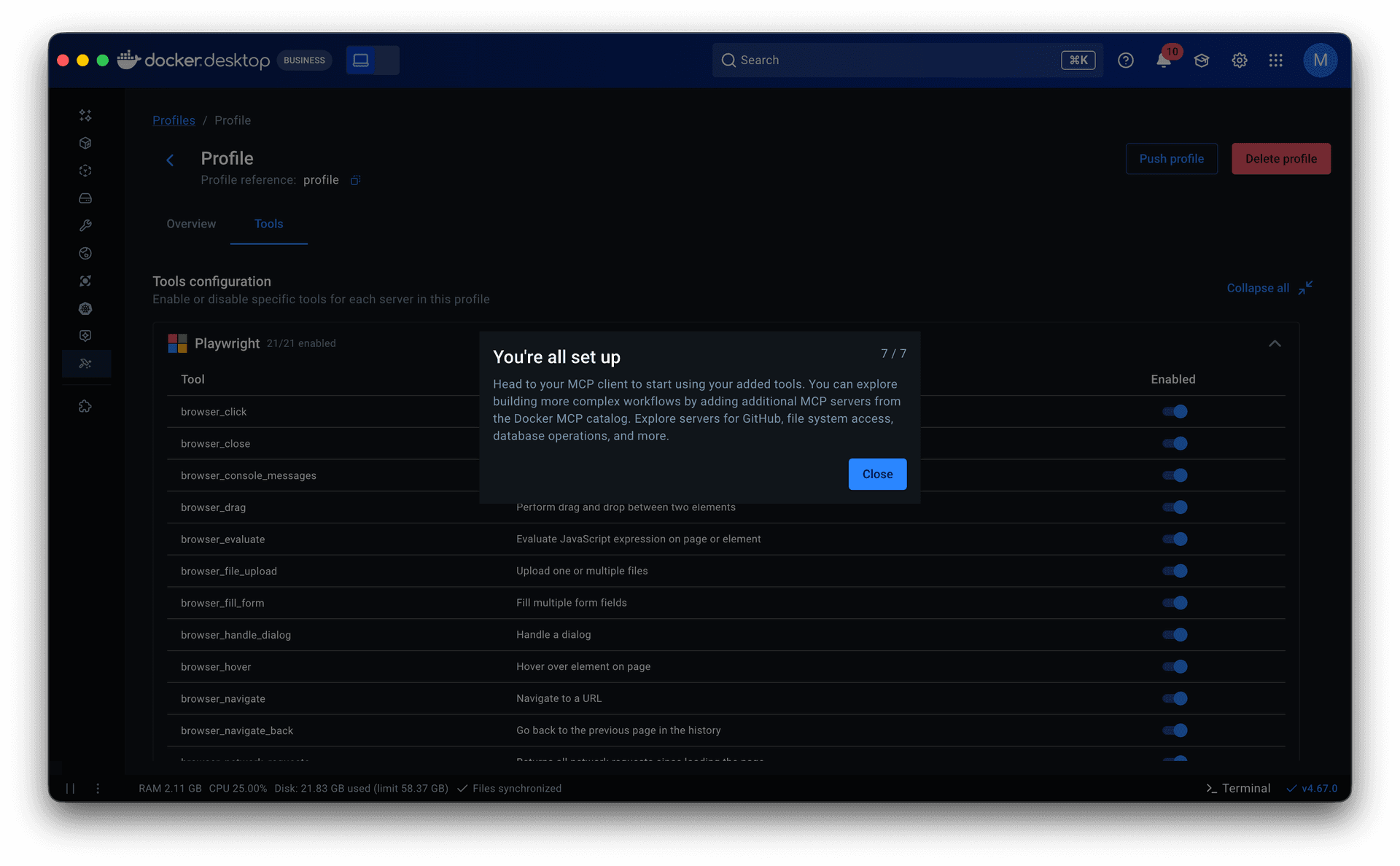
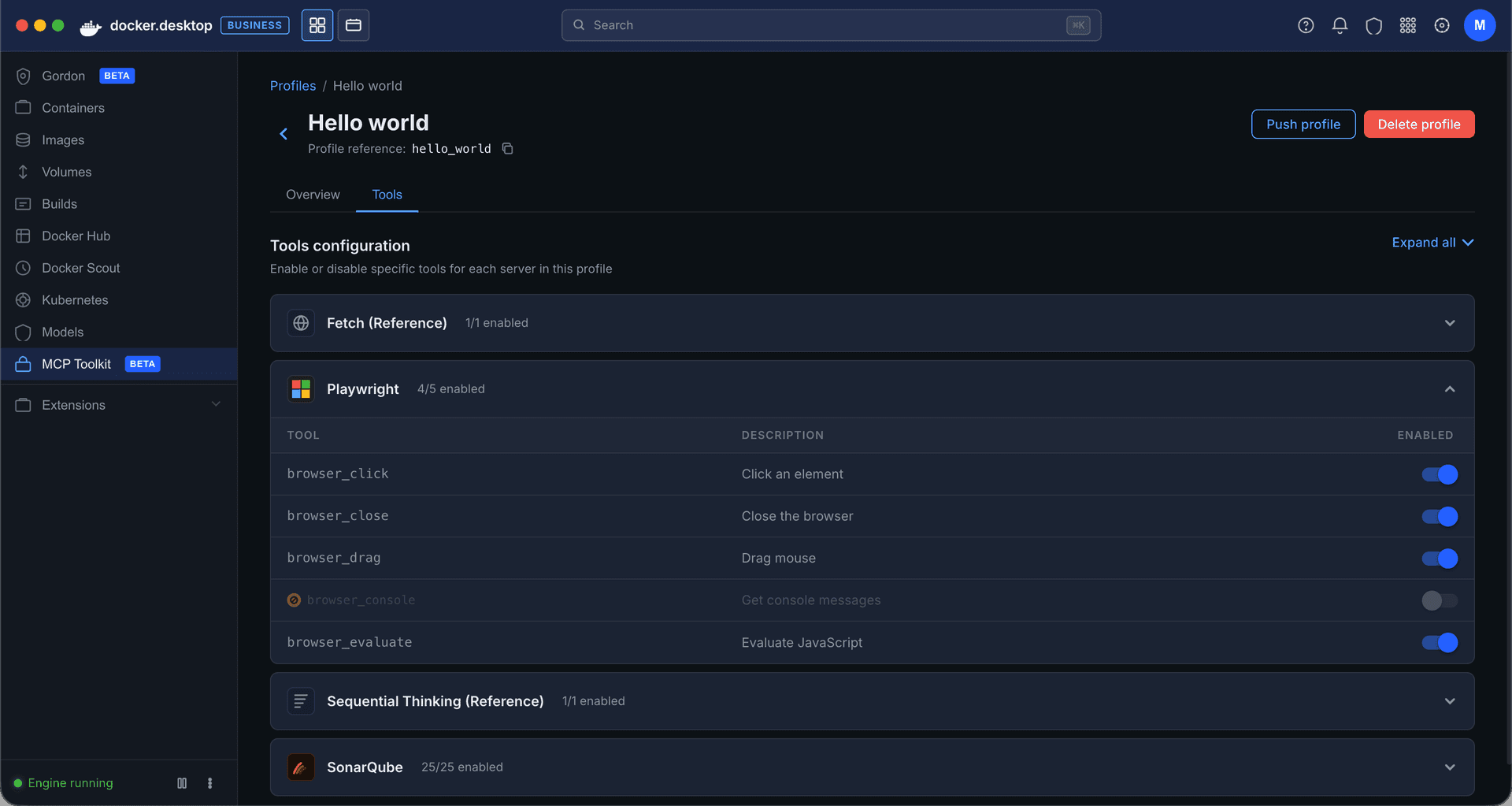
• Tools came next. They lived in server detail pages within the catalog as a static list with no controls. Some servers exposed dozens of tools, and when multiple servers were grouped in a profile, all of them were called each session. That led to non-deterministic, often irrelevant tool calls that degraded the agent’s output. I added a toggle to enable or disable individual tools per server, which later extended into governance: admins could restrict specific tools rather than blocking entire servers.
• Research and prior knowledge of engineering workflows inspired making Profiles publishable. This allowed senior engineers to share proven setups with less experienced teammates, lowering the entry barrier and improving adoption. It also made Profiles the right object for admins to govern and distribute across an organization.
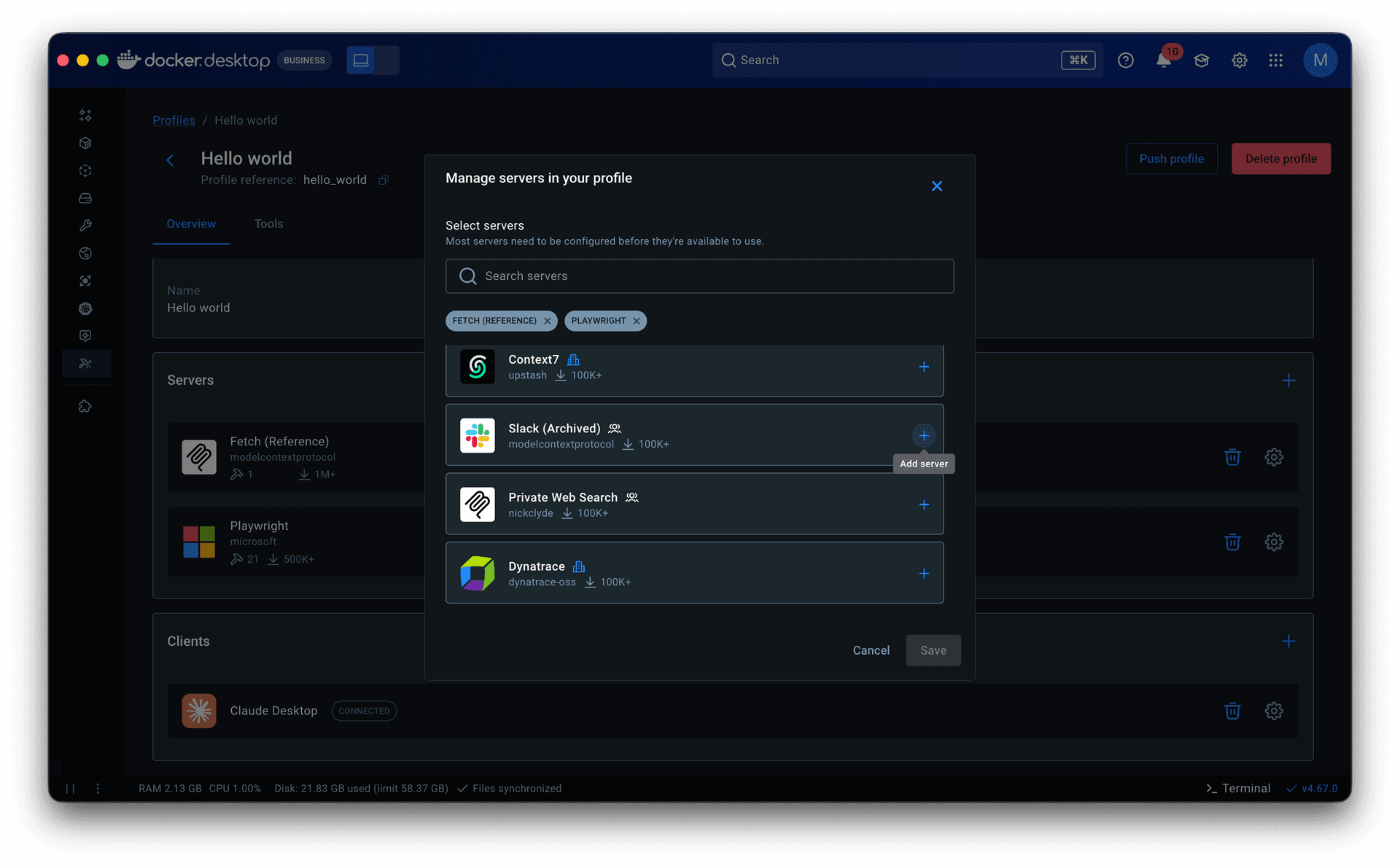
Onboarding grounded in data
Profiles gave the product a model. The next question was how to get users into it.
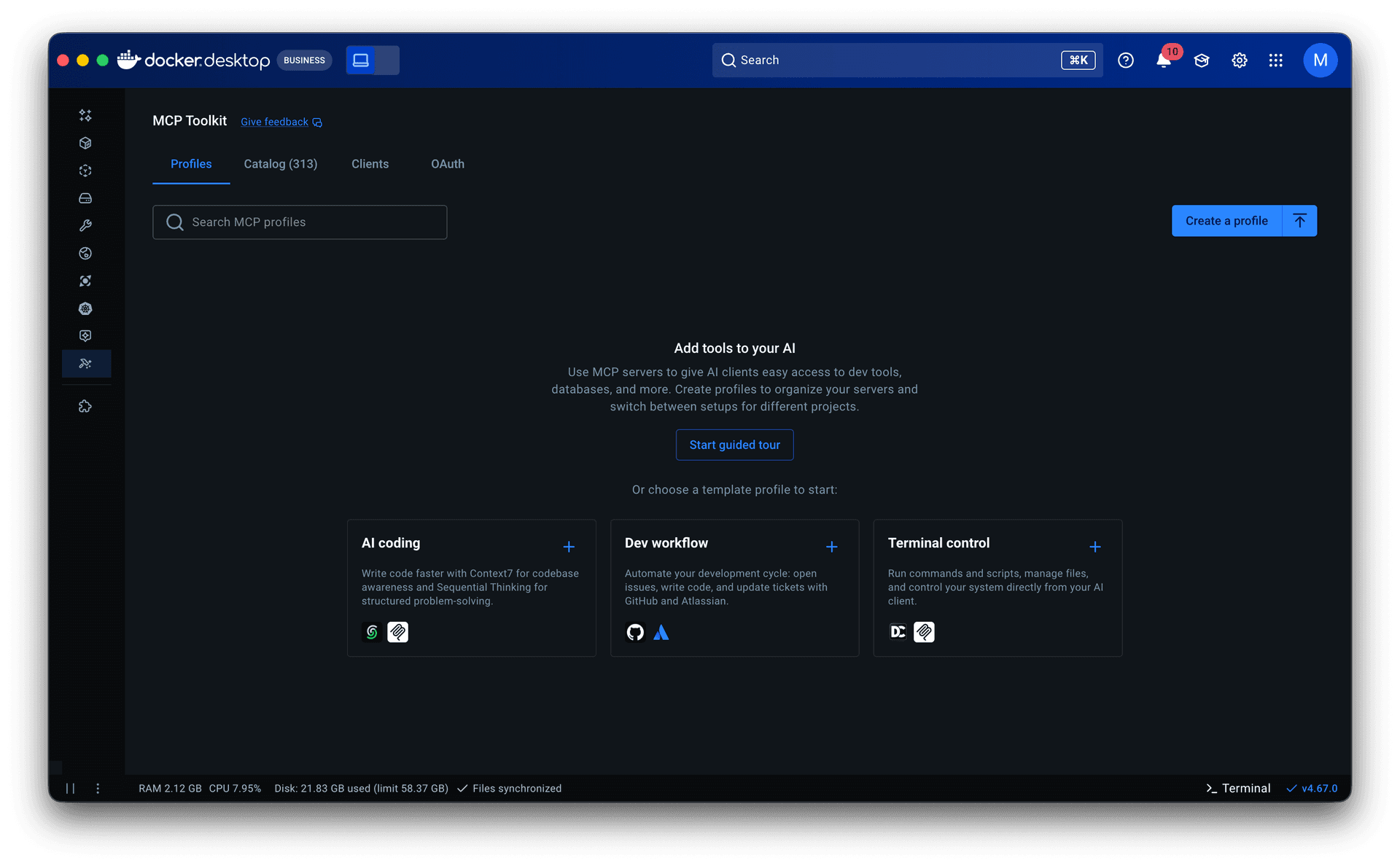
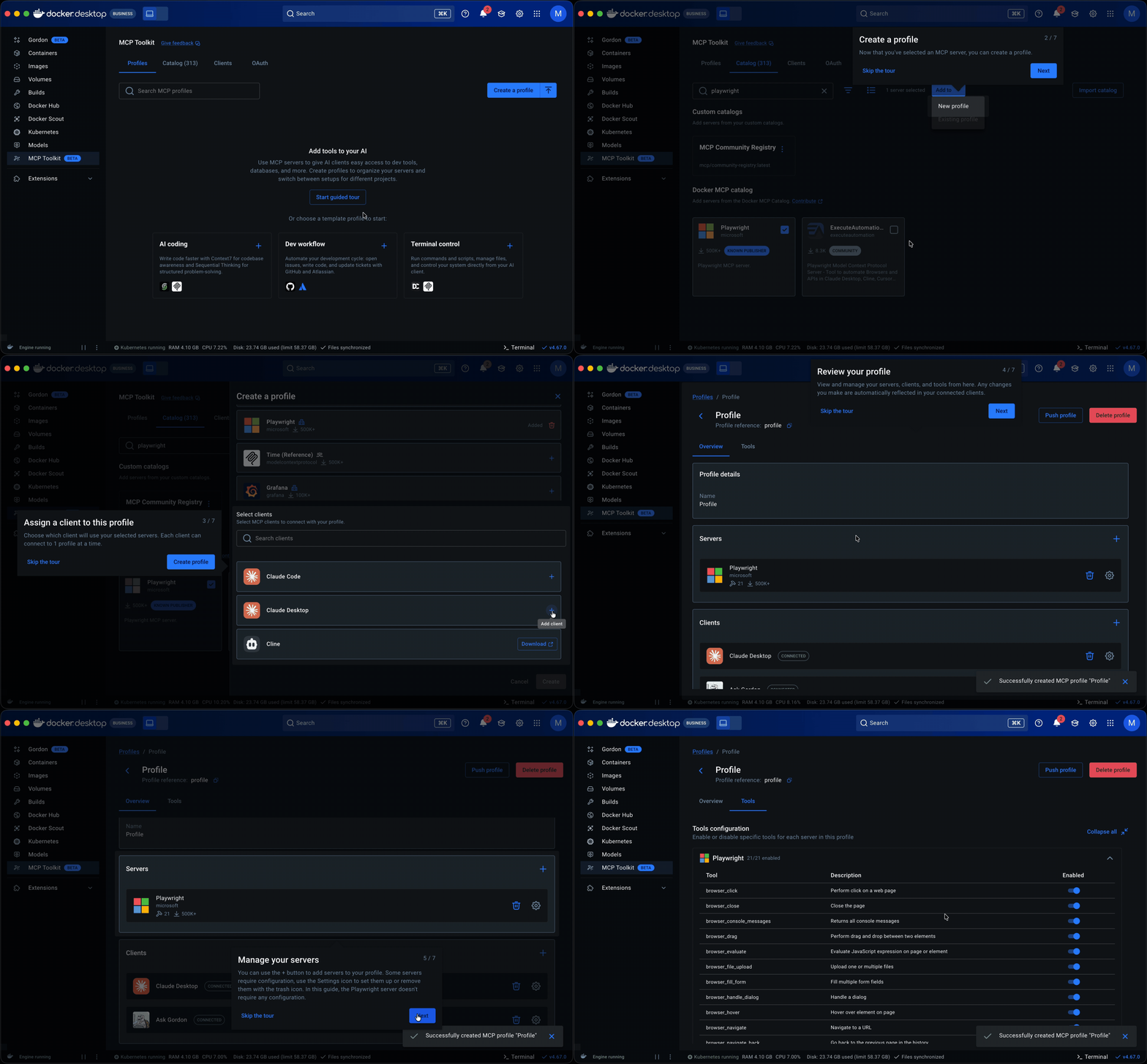
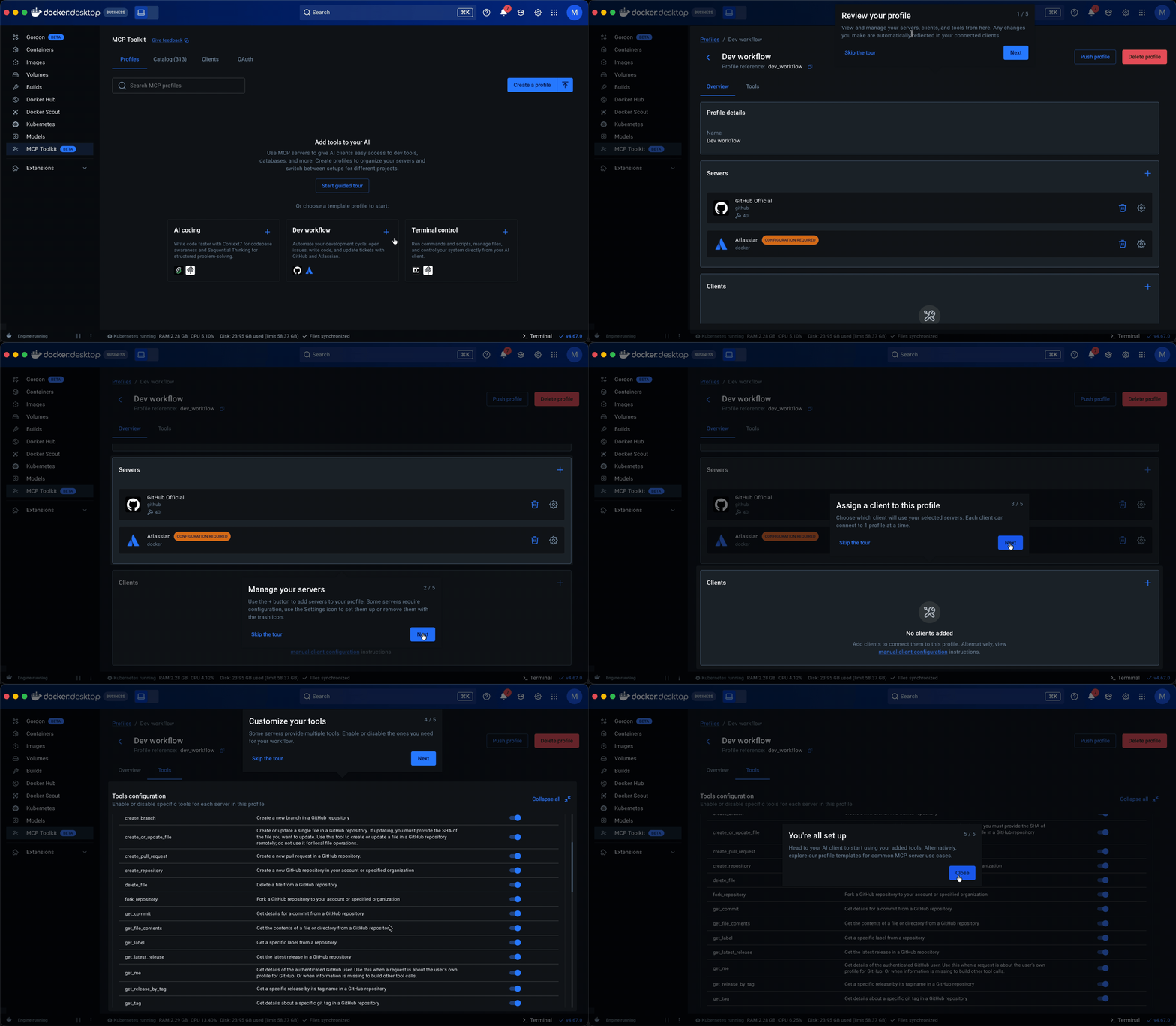
Starter templates. The PM and I analyzed 182 of our most engaged users (500+ tool calls across multiple periods) and found that they consistently used the same servers together across workflows like AI-assisted coding, system operations, and research. I turned those into pre-built Profiles, prioritizing servers that required minimal to no setup to lower the barrier further. For junior and mid-level engineers especially, templates offered a way to see how MCP fit into real workflows before building their own.
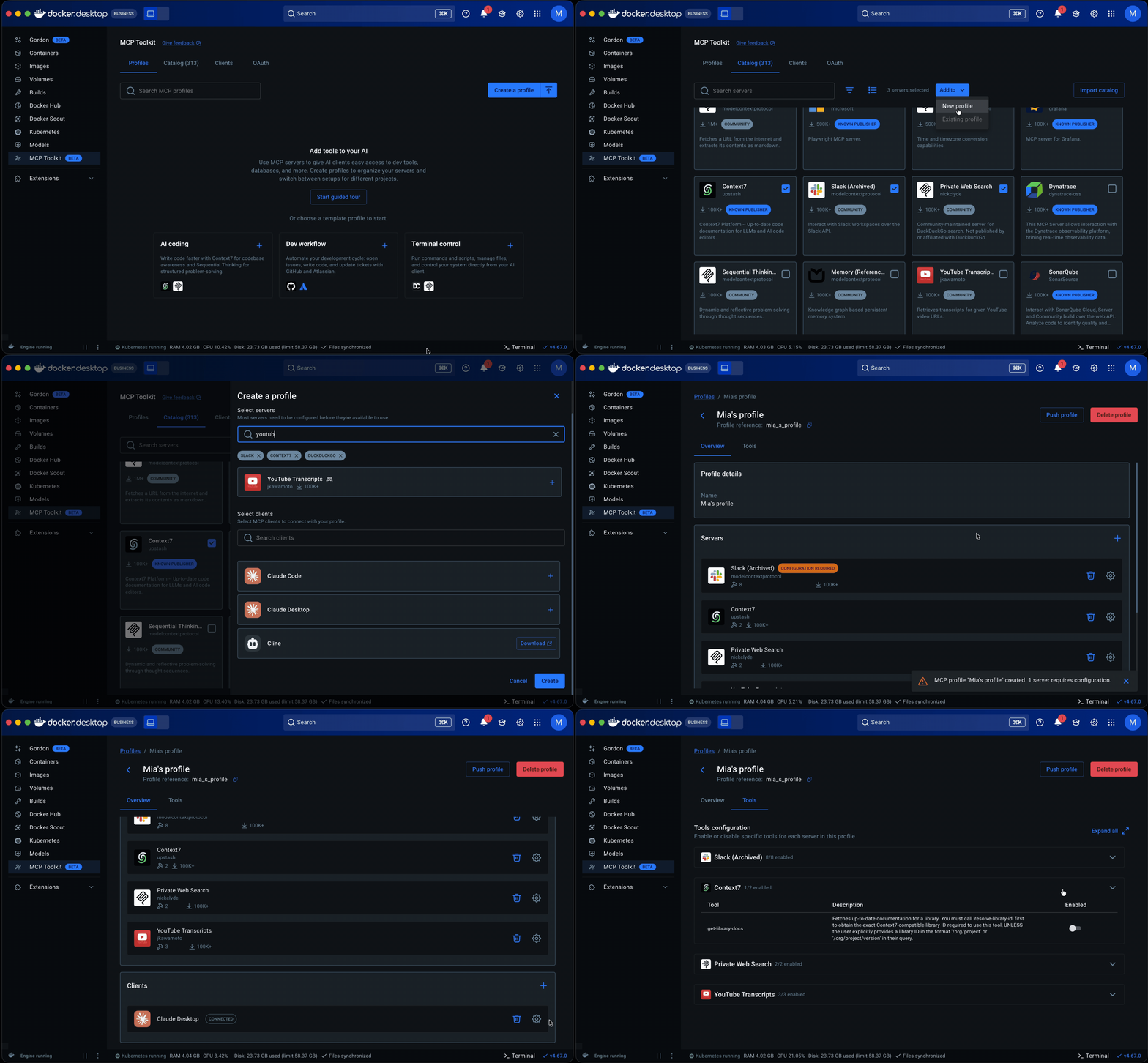
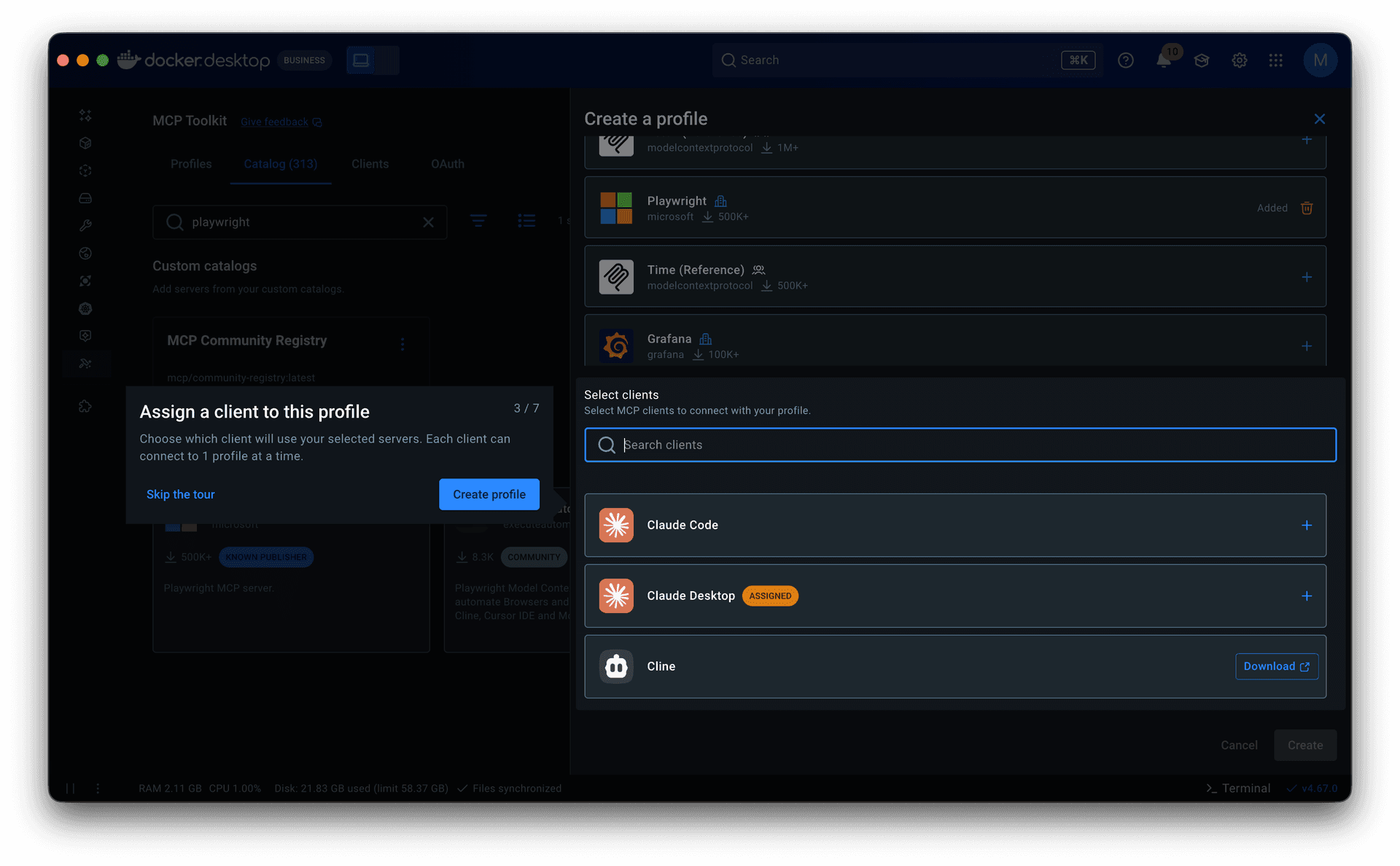
Guided onboarding flow. Whether starting from a template or from scratch, the flow walked users through profile creation to a working state: selecting servers, configuring them, assigning clients, and managing tools. Client connection was part of this flow but optional, since grouping servers is the primary purpose of a profile.
Both surfaced in a redesigned empty state with clear entry points.
Learning center. A sidebar with guided tours and links to MCP documentation, available throughout the experience.
Governance
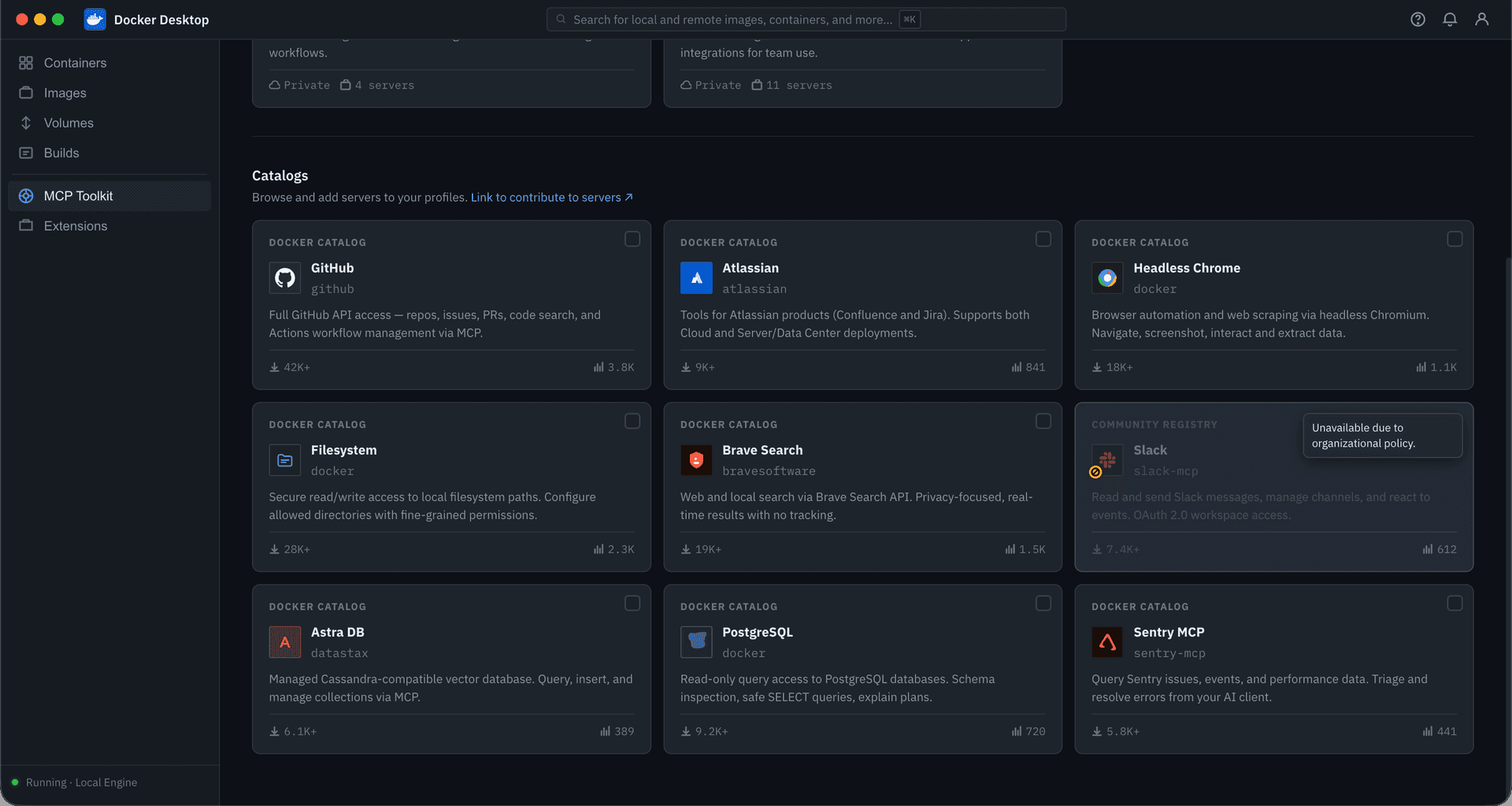
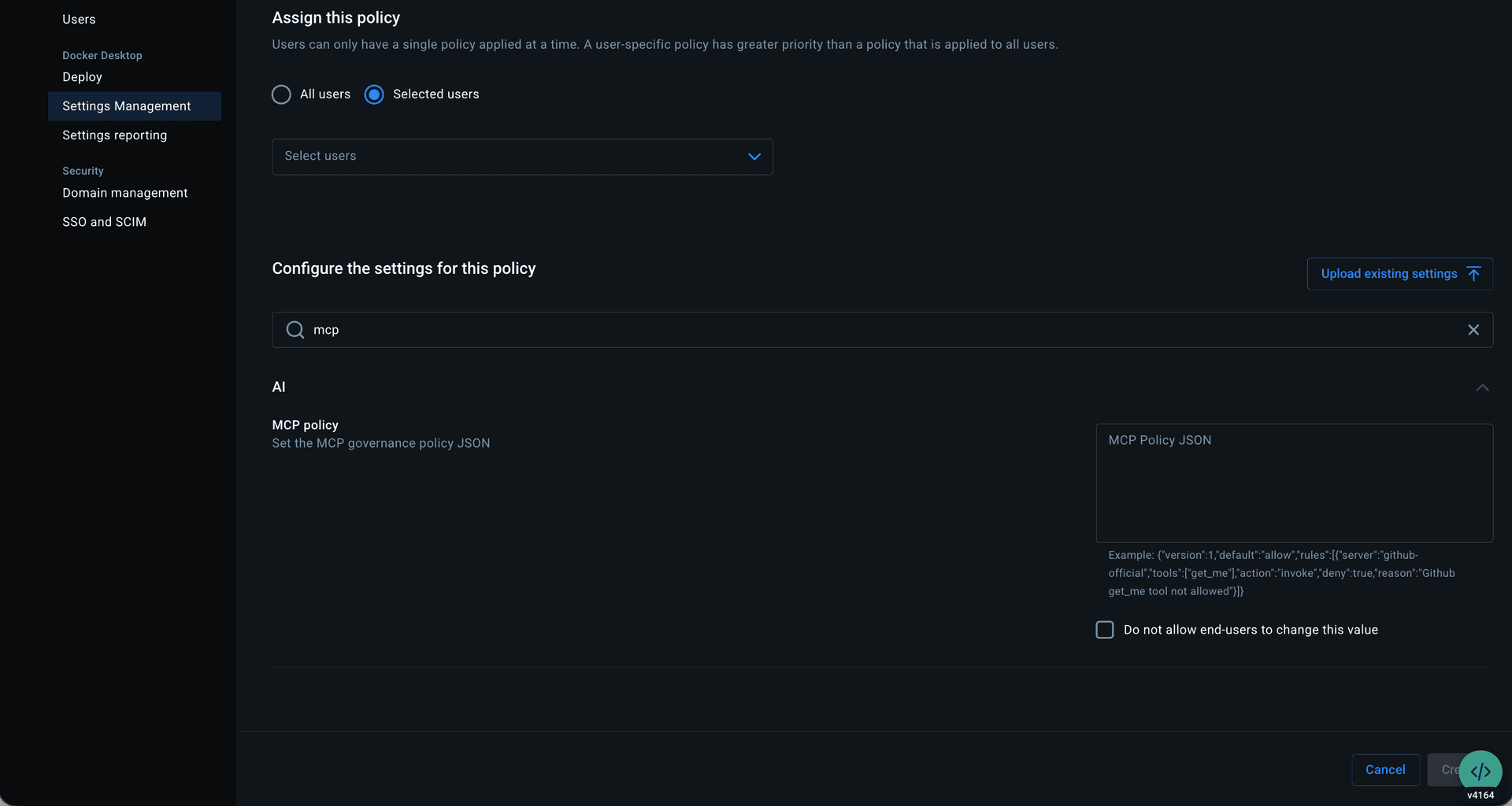
The MVP shipped as an allow-or-deny model at the org level, managed through centralized settings by importing a JSON policy file.
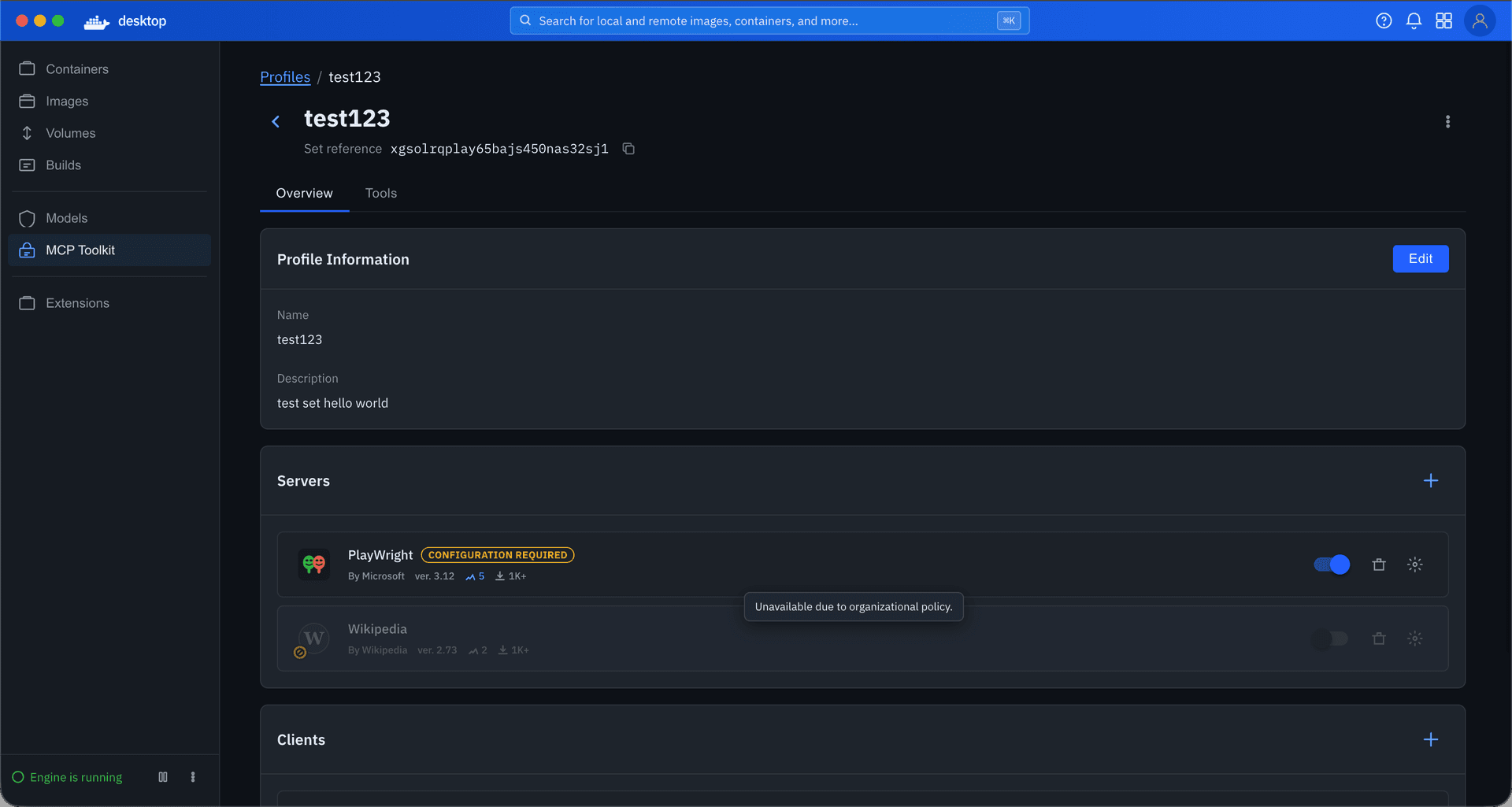
I focused on the developer-facing experience: restrictions visible, invalid actions blocked, cause clearly attributed to organization policy. Because Profiles already supported tool-level toggles, governance could operate at that granularity, restricting individual tools rather than blocking entire servers.
Outcome
The work described above is in phased rollout across Desktop and CLI.
For existing users, continuous usage has increased.
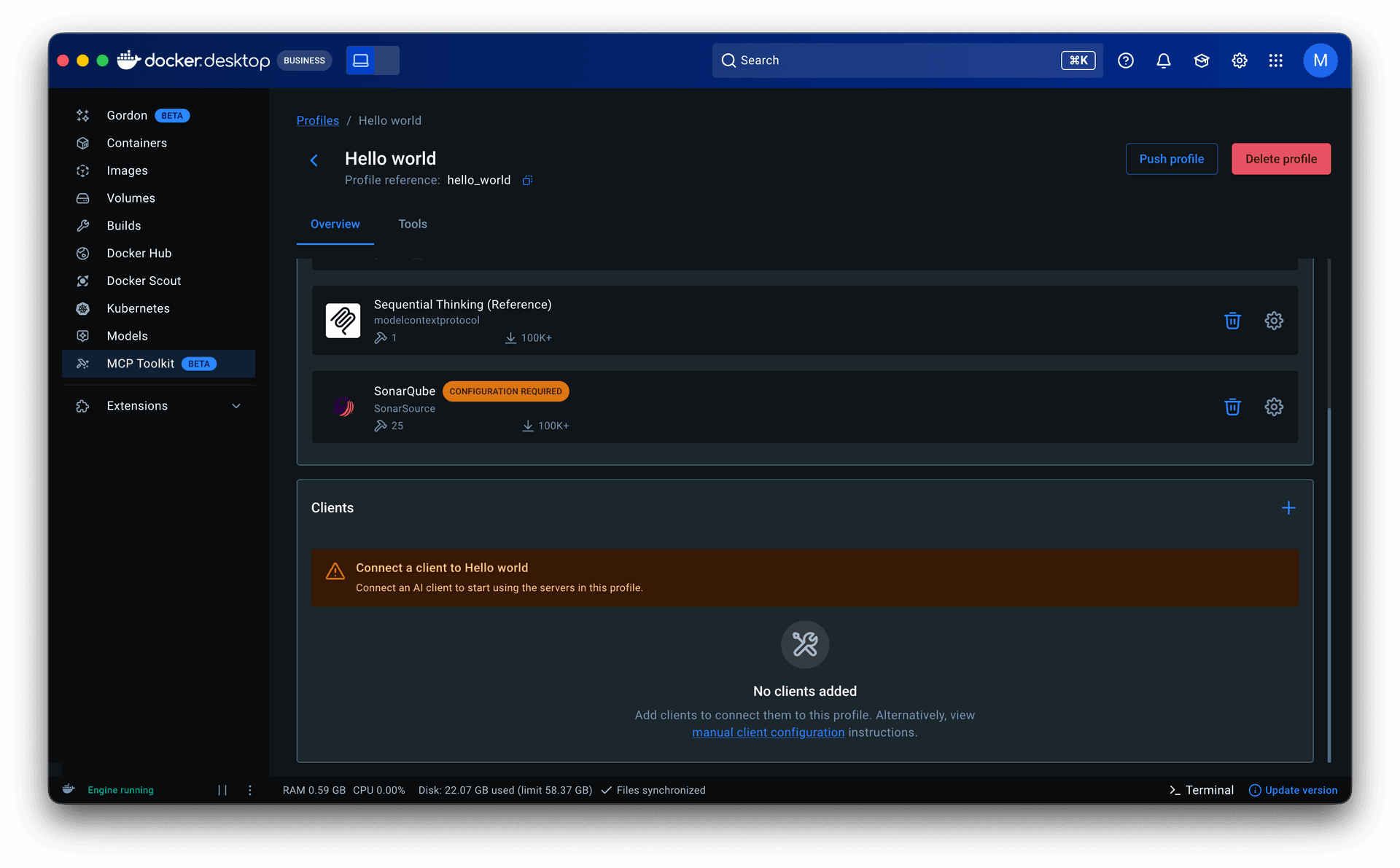
For new users, one issue surfaced early. Profiles are designed to exist independently of any one client, making them reusable across workflows and leaving client setup optional in both profile creation and onboarding. Some users overlooked that step and assumed the product was broken when nothing happened. I addressed this with warning states on the profiles tab and detail page, along with a readiness component showing the status of each server and client within a profile. We continue to monitor.
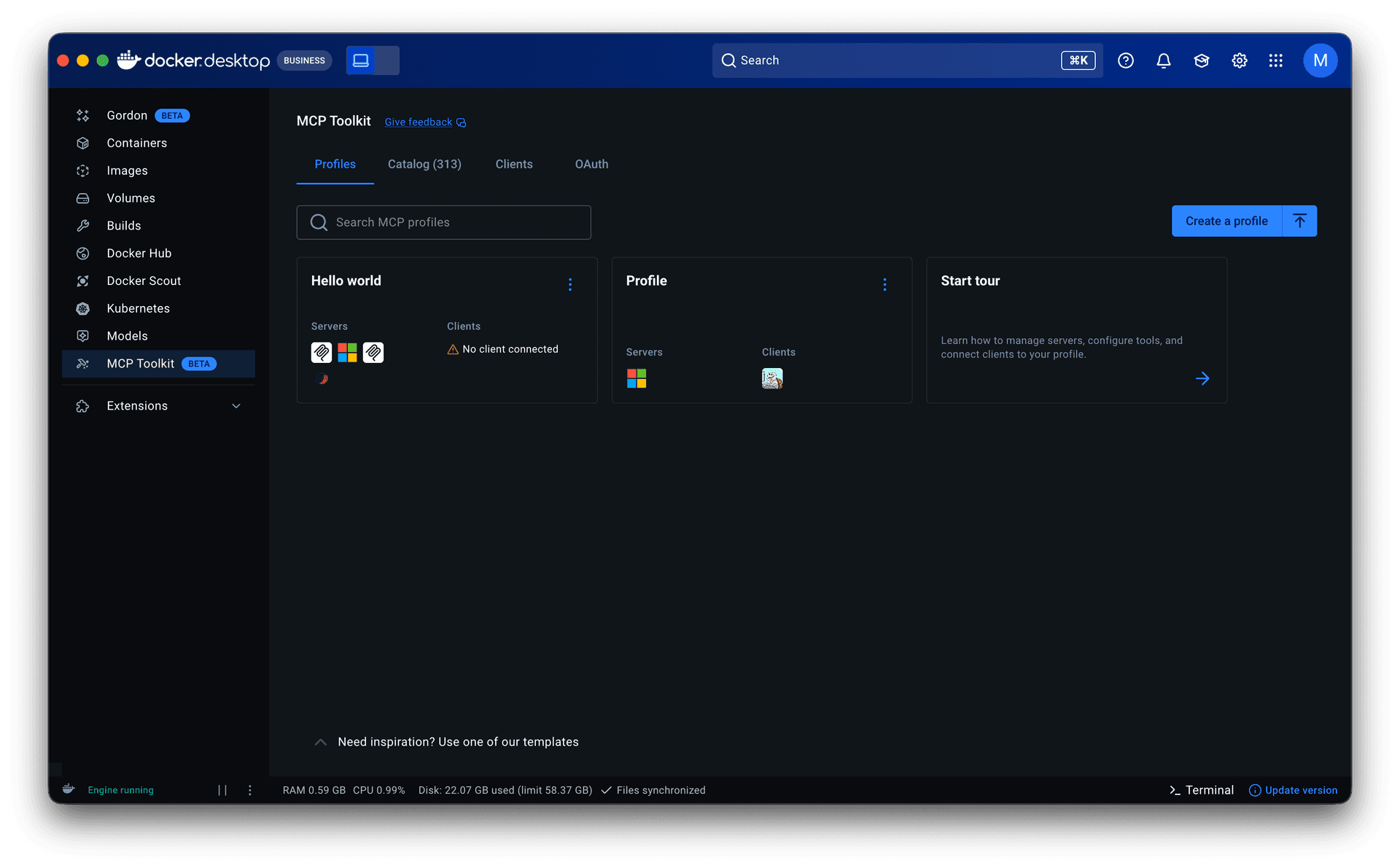
Across both, we are tracking profile creation, setup completion, return usage, policy adoption, and enforcement reliability.
Reflection
This project reinforced one idea: in products with this much conceptual complexity, usability is about reducing interpretation. How much does the user need to figure out before they can make a good decision?
Where I see this going next is agent-first. We detect that a user has Claude Code or Cursor installed and start them there. From within their preferred agent, we recommend servers based on their workflow or project, support conversational discovery through prompt design, and let them create profiles and manage servers and tools without switching interfaces.
Same principle throughout: shift the burden from the user to the product.
Let's work together
Available for new opportunities. If you need a designer who moves fast and owns the work end-to-end, I'd like to hear what you're working on.